
Lottery Reconciliation Issues in POS Systems: Causes, Risks & Lottery Management Software Solutions
Danielle Dixon | 7 Min Read

Overstocked inventory and empty shelves may seem like contrasting issues but mostly result from the same problem: lack of visibility of the real inventory situation.
IHL Group’s 2026 research found that inventory distortion—the combined cost of out-of-stocks and overstocks—costs retailers around $1.7 trillion globally each year, or about 6.2% of retail sales worldwide.
Automated inventory management reduces stock issues by updating counts in real-time as items sell, return, or arrive. It flags low stock before shelves go empty, suggests reorder quantities from your actual sales history, and shows which products are tying up cash.
In this article, we will cover how automated inventory management works, how it helps reduce stockouts and overstock, which features matter most, and how to choose a system that fits your store.
Quick Summary:
- Automated inventory management updates stock counts as items sell, return, or arrive.
- Your POS keeps counts current and flags low stock at the reorder point.
- The payoff is fewer stockouts and overstocks, less counting, and better buying decisions.
- Most early problems come from messy product data and unscanned deliveries.
- Roll it out in six steps, from auditing your process to monitoring results.
- Small single-location shops may not need it yet, while growing stores usually do.
Automated inventory management monitors your stock levels, delivers instant updates when changes occur, and handles repetitive tasks like reorder alerts.
The process runs as a loop in the background of your normal day. Each step feeds the next, so the system gets more useful the longer it runs.
1. Set up your products: Every item gets a stock keeping unit (SKU) or barcode, along with its cost, price, supplier, and a reorder point (the stock level that should trigger a restock).

2. Receive inventory: Whenever there is a delivery, you can scan the items so they’re recorded in the system. Depending on the system, supplier and pricing information can also be updated during the receiving process.
3. Sync every sale: Each transaction that is done will change the quantity instantly, regardless of whether it was done at the cash register or on your website.
4. Trigger the rules: If an item reaches its reorder level, you will receive an alert or a purchase order to approve.
5. Review the reports: Information on sell-through rate, slow-moving items, and count variance will guide you in knowing what items to reorder, mark down, or discontinue.
Many repetitive inventory tasks can be automated, saving your team from tasks they might otherwise forget or put off.
Here’s where most retailers start:
Wondering how everyday sales data turns into automatic reorders and updates?
Read our guide to retail automation.
Automation works, but the first few weeks can be bumpy.
Most problems come from preparation, not the software itself, so here’s what to watch for:
Putting your products into a new system will take more time than people realize. If your old spreadsheets have duplicated data, no pricing information, incomplete SKU numbers, or more, then it all needs to be scrubbed before you even put it into your new system. Start with a physical inventory and add your best sellers first.
When there is no sync among your register, your online shop, and your accounting software, discrepancies will start to build up, and that is where errors start piling up.
You must know beforehand which of your tools connect automatically and which ones require extra setup. Using a POS system that handles inventory right out of the box eliminates a lot of that headache.
How good the process is depends on who is unloading the goods. If a box does not have a scan on it before going on the shelf, then everything from that point onward will be messed up.
Let them see what their job entails by showing them two or three responsibilities each.
Your software only knows what you put into it. If a price or barcode is wrong, it will mess up your profit and reorder alerts every time that item sells.
To prevent this, do a quick weekly audit for a few items. If your physical shelf doesn’t match what the computer says, figure out why.
With a store that holds just a few hundred items, there is no need for automation in purchasing and transferring. The place to start is the problem that hurts you the most, whether it be out of stocks, overstocks, or time spent counting.
You should not turn on automation until you are sure your counts are correct.
Are you still tallying your stock manually? Before making up your mind about which system to adopt, you might find it helpful to compare them side by side.
The following table outlines their comparison on accuracy, speed, cost, efficiency, and error rate:
| Factor | Manual Inventory Management | Automated Inventory Management |
|---|---|---|
| Accuracy | Prone to miscounts, misplaced items, and outdated data. | Real-time updates and scanning can improve accuracy. |
| Time Efficiency | Hours spent on manual counts and data entry. | Automated tracking reduces manual work. |
| Cost Implications | Labor, shrinkage, stockouts, and excess inventory can add up. | Can reduce labor and costs associated with inventory issues. |
| Integration | Spreadsheets don’t automatically sync with other systems. | Can sync inventory across POS, ecommerce, and other systems. |
| Error Rate | Manual entry can lead to mistakes. | Automation can reduce manual entry errors and flag discrepancies. |
A modern POS system does more than record transactions. Because every sale, return, and delivery passes through it, the POS is the natural place to keep inventory current. Here’s how that works day-to-day.
Whenever an item is scanned by the cashier, the stock level is updated immediately. There is no need to count the receipt slips at the end of the day or even update any sheet the following morning.
The same applies to returns in reverse, adding the item back once it’s processed.
Barcode scanning can improve inventory accuracy. By doing a fast scan at the checkout counter, the product will be removed from inventory, while a scan at the back door will add a new delivery to inventory.
This way, there’s no need to type figures into the computer manually.
Establish the reorder point for every item, and the system alerts you when the inventory falls below that reorder point. It informs you of the shortage when there is still time to place an order, rather than when a customer comes asking for an out-of-stock item.
Multi-store inventory management means that you can have one inventory tracker, which will tell you about the status of products in your stores right now.

In other words, it is easy to know when there is too much of something in one store and nothing at all in another and to switch the product where it should be sold.
The online shop and the physical store may get their goods from the same stock. The connection of both channels to the same inventory data means a sale from one can be reflected on the other, helping reduce the risk of overselling.
Sales forecasting for best-selling products, slow-moving stock, and even seasons for increased sales will tell you what to order in larger quantities and what not to order at all anymore.
Automated inventory management replaces manual, disconnected spreadsheets with one live record of your stock. That changes retailers’ day-to-day operations, from how often shelves run out of stock to how much time staff spend counting.
Here are the six benefits that matter most:
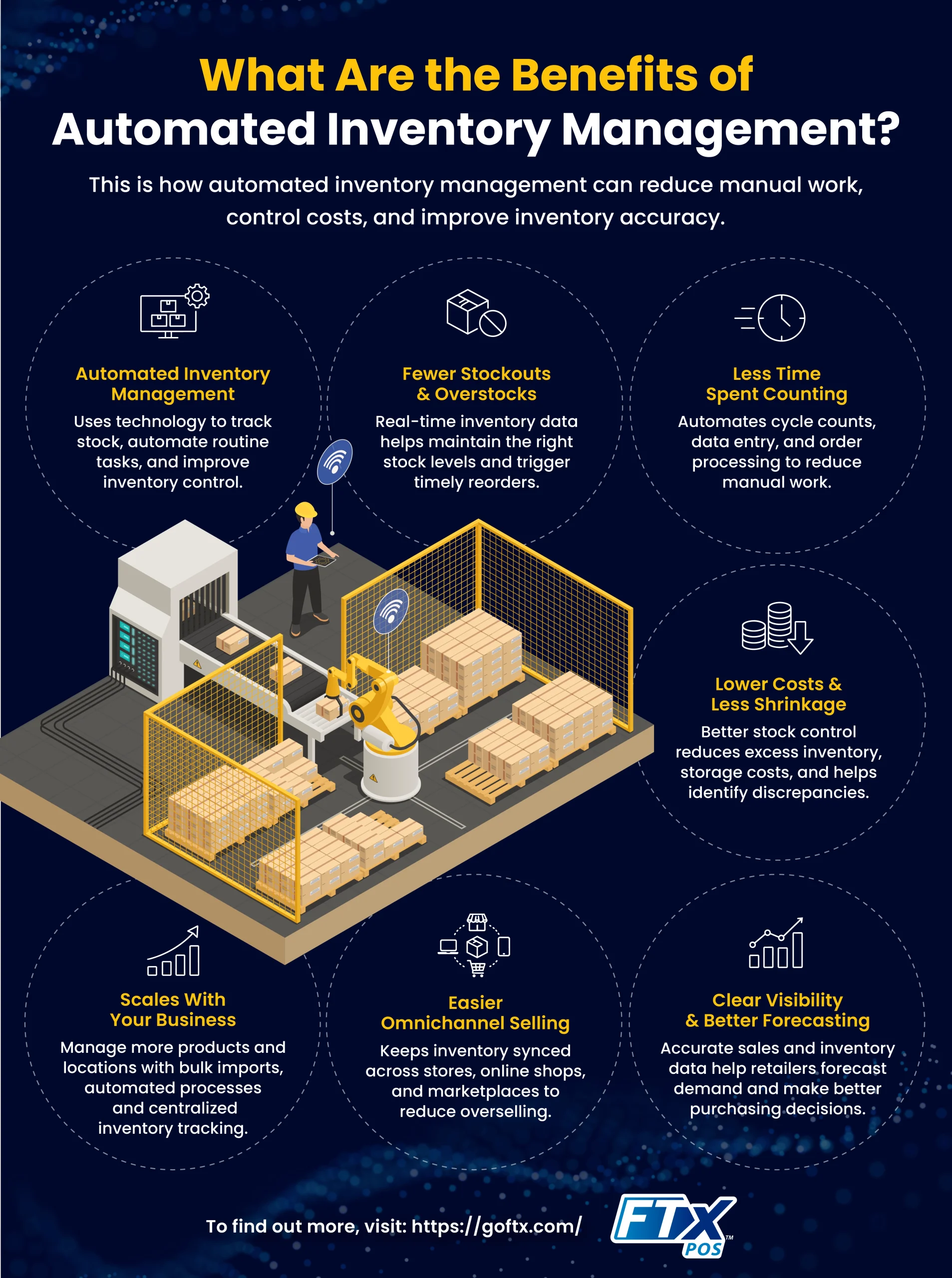
Real-time counts help you replenish inventory when it’s actually needed, rather than waiting for someone to notice a gap. Automatic reorders for bestselling products, low-stock notifications, and sales history data can also help you make more informed purchasing decisions.
Research from Auburn University’s RFID Lab, cited by GS1 US, found that RFID can improve average inventory accuracy from 63% to 95%.
The tasks that are automated first include cycle counts, data entry, and order processing. The employee will just scan the shelves instead of having to count manually, and the majority of errors will come up while operating normally during trading days rather than when closed on the weekend.
Storing just enough of the required stocks will save you money and also storage space. This will reduce overtime when you are taking counts of your inventory because everything is already being tracked by the system.
You can more easily identify discrepancies and investigate potential causes, whether they stem from inaccurate counting, supplier errors, or other issues.
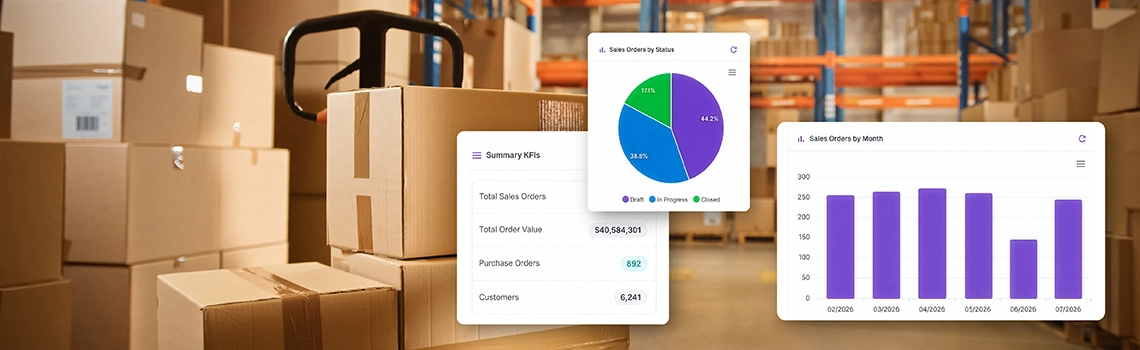
Rather than relying on estimates, you will know your sales pattern and whether the supplier has been shipping on schedule. This makes it much easier to plan for demand, manage product mixes, and make purchasing decisions based on actual data.
Accurate inventory information also makes financial planning much easier.
Whether you sell through an online store, marketplace, or physical store, keeping your inventory information in sync gives you one shared view of what’s actually in stock, which can help reduce the risk of overselling.
Accenture’s 2018 RFID in Retail Study found that 96% of retailers that had adopted RFID offered at least one omnichannel shopping option, compared with 59% of retailers that had not adopted RFID. The study noted that increased inventory visibility helped retailers roll out omnichannel offerings.
Manual tracking becomes difficult when you scale your business. But automation systems can help you manage the transition from hundreds to thousands of products through bulk imports and automated categorization.
Plus, you can also add locations to track inventories with a click of a button across different stores.
Pro TipIf you plan to add stores, choose a system that grows with you. Our post on scaling with a cloud POS explains what to look for.
Implementation goes more smoothly when you treat it as a process, not a switch you flip.
Here are the steps to move from your current system to an operational one:
Begin by documenting how stock passes through your store. Who gets deliveries, where counts get done, and how often counts get checked against what is on the shelves. In all likelihood, the flaws will be easy to spot, like an inventory supplier who never logs deliveries or a storeroom that is never counted.
Also, document your biggest pain points. If the losses from stockouts are highest, that will determine your priority features.
Quick Check!Would you bet $100 that your stock counts are right today? If you hesitated, start with our checklist of signs you need a POS system.
Prior to entering any data into the system, correct whatever problems exist. Eliminate duplicates, make up for missing costs and vendors, and agree upon an inventory naming convention.
An actual count at this point yields accurate baseline figures, and that is far more important than most realize.
With rules, the system can work on its own without you. Set the reorder point for each item by taking into account its sales rate and the delivery lead time of your supplier.
Items that sell quickly but have a slow supplier will need more buffer stock than those which take just two days to be replenished.
Begin with the top selling products and move down from there. Being wrong about 30 products is easier than being wrong about 3,000 products.
Connect your inventory with the systems used to generate your stock fluctuations: your POS system, your online store, and your accounting system.
If you use FTx POS, inventory is already connected to the POS, so sales automatically update your stock.
The training should be done based on the activities that will be performed by each individual, such as receiving inventory, making returns, or counting the inventory.
They should be allowed to practice on a few items before the day of the launch, explaining why every inventory delivered needs to be scanned.
Use the first month to monitor results. Look at the difference between system and physical count, see if your reorder signals work when they should, and look out for products that constantly go off track.
After this, tweak your reorder levels, correct the product files that were causing problems, and activate automated processes such as automatic purchase orders.
Want to see what a count looks like in practice? This short training video walks
through running inventory counts in our Control Center.
It can be, but the answer depends on your size and how much inventory problems cost you today. Automation is an investment in software, setup time, and training, so it should solve a problem you actually have.
The benefits of automation come into play when manual tracking becomes more expensive than the software itself. Indicators include:
If two or three of those sound familiar, the time saved and the sales protected will likely outweigh the cost.
A small store that has few SKUs, is only in one place, and doesn’t change its inventory very fast may not need anything else.
It will suffice with a basic POS system that provides the real-time inventory counts and notifies when stocks are low but does not include order management and forecasting features.
It should be mentioned that after some time, as the retailer grows, this question becomes relevant again. Many retailers begin simply and introduce automation once another location comes, or the product list doubles.
Warning!Don’t go live until you’ve tested a few sales across your register and online store. Counts that don’t sync are how the same item gets sold twice. Our guide to POS software integration covers what to check first.
There are so many options for inventory management software. Which option is right for your business?
Let’s start by asking these questions:
Are you a small startup or a large enterprise? Each scale and industry have unique inventory needs. A system suitable for a clothing boutique won’t work for a multi-location convenience store operation.
Think about the issues you want to solve. Does your business struggle with inventory accuracy? Do you have a slow or inaccurate fulfillment process? Prioritizing your needs will guide you to a system that can help you solve these issues.
Don’t underestimate the importance of budget, but remember, investing in the right system can save you money in the long run through improved efficiency and reduced errors.
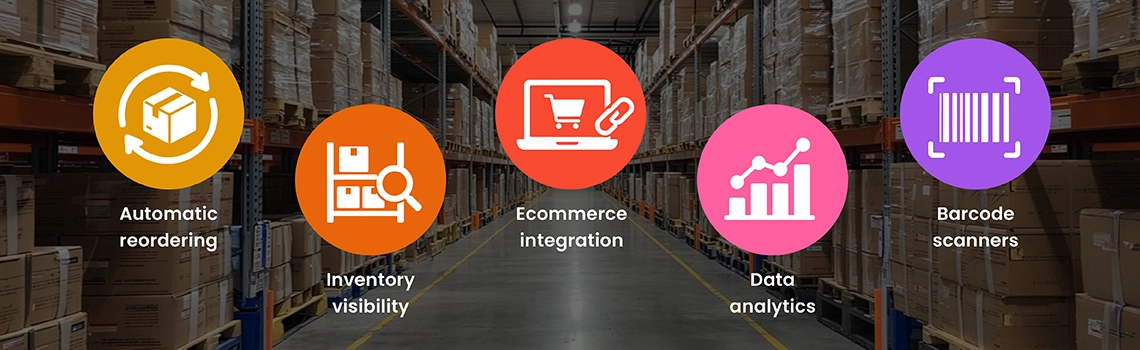
Here’s an overview of features that you need from an inventory automation system:
All the flashy features are nice. But they aren’t everything. The best automated inventory system is also:
Choosing an automated inventory management system (AIMS) is a journey, not a destination. Take your time, research carefully, and don’t hesitate to ask questions.
The right fit matters more than the longest feature listA perfect system on paper can fail in real life if it doesn’t match how you actually work. Let’s talk about your store—your products, your team, your daily flow—and find the inventory platform that fits, not just impresses.
Most stock problems start small. A delivery gets shelved without a scan, or a count gets updated a few days late. By the time you notice, you’ve either run out of your best seller or you’re sitting on six cases of something nobody’s buying.
Automation won’t fix everything overnight, and you don’t need to switch it all on at once. Start with your top sellers. Get the product data clean, make sure everyone scans deliveries, and see how the numbers hold up for a month or so.
Then add the rest, like automatic reorders, once you trust what the system’s telling you.
Do that, and counting stops eating your weekends.
Automated inventory management uses software and technology to streamline various aspects of tracking and managing your stock. This can include tasks like:
Automating inventory tasks can transform your business. Key benefits include:
Any business that manages physical inventory can benefit from automation, regardless of size or industry. This includes:
The cost of automated inventory management systems varies depending on features, scale, and complexity. However, even basic systems offer significant ROI through improved efficiency and reduced costs. One study found ROI for a large warehousing operation to be 300%.
Here’s a short list of some of the challenges:
Most modern systems are designed to be user-friendly and require minimal technical expertise. Some vendors also offer implementation and ongoing support services.
Each product has a reorder point that gets monitored by the software as transactions occur.
When the inventory reaches the set threshold level, an alert is generated for you or your manager in the form of emails or dashboard notifications. Even more advanced inventory management systems will create purchase orders for your approval.
Yes, and this is the most common approach.
When your inventory is integrated with your point of sale (POS), all sales, returns, and exchanges will automatically update your stock numbers, which means you won’t have to enter additional data manually.
Some POS systems come with inventory management capabilities built into the system; an example of such a system is FTx POS.
Shortages get caught early on. Live inventory levels let you see where shortages are occurring, order reminders remind you to replenish before you run out, and sales history tells you which products require additional inventory.
Coordination of inventory levels between your brick-and-mortar store and your ecommerce platform will also prevent you from selling stock that is not even there anymore.
Many businesses that manage physical inventory can benefit from automation, depending on their size and needs.
This includes:
The cost of automated inventory management systems varies depending on features, scale, and complexity.
Most modern systems are designed to be user-friendly and require minimal technical expertise. Some vendors also offer implementation and ongoing support services.


Danielle Dixon | 7 Min Read

Danielle Dixon | 11 Min Read

Danielle Dixon | 13 Min Read