
7 Best Digital Price Tag Providers for Retail Stores in 2026
Danielle Dixon | 12 Min Read

More and more customers conduct research online before visiting your store. This is a good thing. Research often attributed to Harvard Business Review shows that omnichannel shoppers who research a brand online before visiting a store spend about 13% more during their in‑store visit than those who don’t.
This example shows why point-of-sale (POS) and ecommerce integration is so vital today. By integrating your POS and website, you ensure:
Bottom line, if you sell in a brick-and-mortar shop and online, you need to integrate your ecommerce and POS solutions. This will create a single, unified system that helps you improve fulfillment, offer curbside pickup, and ensure your inventory is the same online as it is in-store.
So, what is a POS ecommerce integration? And how do you link a POS and website? This guide covers everything you need to know about a POS ecommerce integration, including what it is, key benefits, and the exact process you can use to get it right.
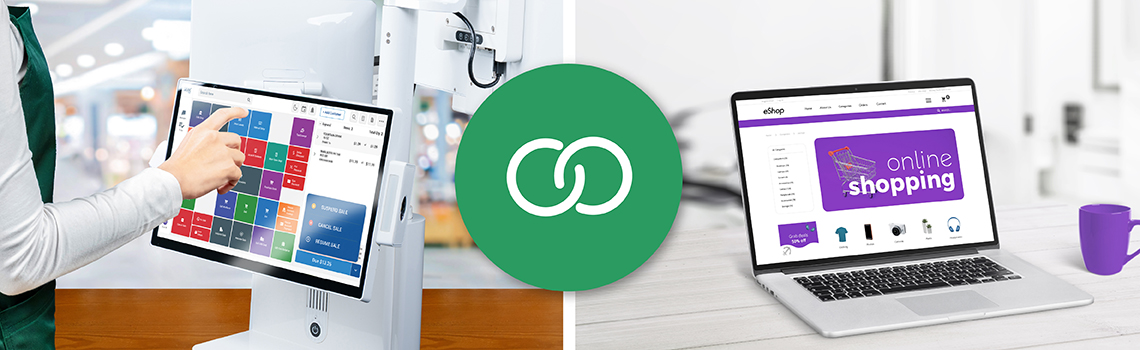
It consists of a process that connects a business’s POS system with their online ecommerce platform. This integration allows for seamless communication and data sharing between the two systems. The result? Businesses can manage inventory, sales, and customer data in one centralized location.
By consolidating these operations, businesses can achieve greater efficiency and accuracy. For example, inventory levels can be updated in real-time as sales occur, reducing the risk of overselling or stockouts.
Additionally, customer data collected at the POS can be synchronized with the ecommerce platform, providing a more comprehensive understanding of customer behavior and preferences.
Start Selling Online. Embrace omnichannel retail and stay ahead of the curve with FTx Commerce, our native first-party ecommerce integration with FTx POS.
In short, an ecommerce integration means you create a unified platform for the POS and your online store. You link inventory, customer data, sales reporting, fulfillment systems, and more to create a single, unified database.
For example, when you integrate your POS with your website, if a product is sold – whether in-store or online – inventory data is updated for both platforms.
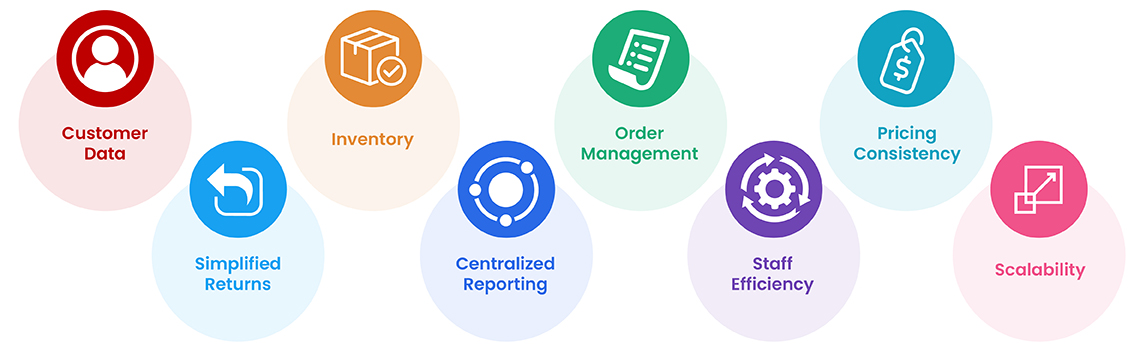
Ecommerce POS integrations provide a single, unified platform to manage:

The customer journey is changing. Most shoppers want to shop at your store online to see if they can buy a product in-store that day. Or they want to shop entirely online and get products shipped to their home.
By connecting your POS and your website, you cater to the changing needs of your customers. You’ll be able to:
When you connect your website and POS, you can see where orders originate and their status. This is especially helpful if you want to offer curbside pickup or ship to store for customers.
Ultimately, an ecommerce POS integration allows you to automate order management.
Example: A customer purchases a laptop online and chooses pick-up in-store. Your staff receives the order details and pick-up time and can prepare the order for pick-up.
Customers want to know if a product is available. Many check inventory online before they visit your shop.
Integrating your website and POS allows for real-time inventory across all channels.
This is challenging, if not impossible, without integration. Real-time inventory also benefits sales associates. If a product is marked in stock, they can trust that it hasn’t sold out online.
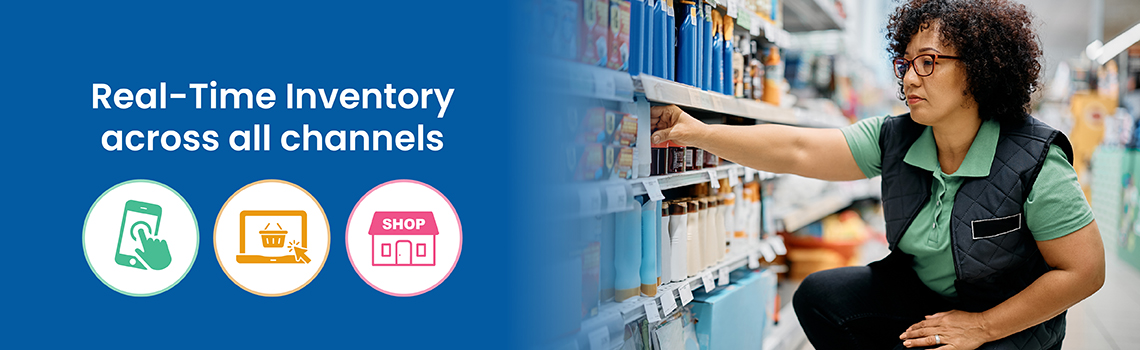
Example: Your customer purchases a product online. The inventory is updated in real-time on your POS and on your website. This eliminates the problem of selling a product twice.
Without an ecommerce integration, you have to update both systems when pricing or product details change. This creates the potential problem of price mismatches and the risk of inventory loss.
Example: You offer a discount for a product online but forget to update it in-store. When the customer purchases in-store, they are confronted with a higher price than expected.
A unified platform allows for the use of a single customer database. For example, you can see a customer’s purchase history across channels. This will help you better segment your customers and personalize your offers for them.
Another advantage: You can offer an omnichannel loyalty program and allow customers to earn rewards regardless of the channel.
Example: Your customer orders online and signs up for your loyalty program. When they shop in-store, you can instantly look up their account.
Using a single payment processor isn’t a requirement. For example, you might use a POS with integrated payment processing through your POS and a different processor for online transactions.
The real benefit of using a single processor is reduced fees. Although online processing fees are higher, if you use a single provider, you can negotiate better rates. Additionally, when thinking about payments, consider the customer experience. Do you offer the right options to the user?
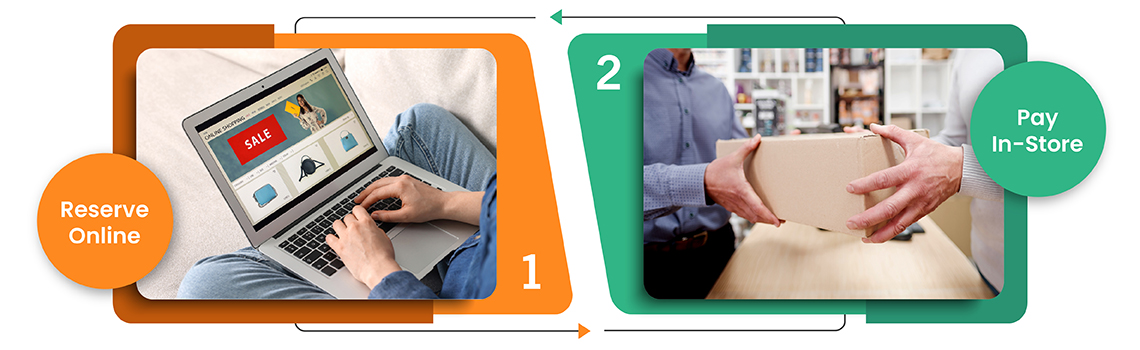
Example: A customer wants to reserve a product online and pay for it in-store. A unified system will make this option easier.
When you’re updating two systems by hand, mistakes slip through. Wrong prices. Oversold items. Mismatched inventory. Integration eliminates the need for double-entry.
Example: A customer buys the last pair of running shoes online at midnight. Without integration, that store’s POS would still show them in stock at 9 AM. A second customer buys them in-store, and now you’re explaining to the first customer why their order can’t be fulfilled. Integration prevents this.
Manual syncing takes hours. Someone has to update their inventory. Someone has to reconcile sales. That labor adds up. Integration automates it.
Example: A three-location retailer used to spend 12 hours a week keeping their website inventory matched to their stores. After integration, that work disappeared. They redirected those hours to visual merchandising and customer follow-ups.
Customers expect to move between channels seamlessly. Browse online, buy in-store. See something in store and order it on their phone. Integration makes this possible.
Example: A shopper tries on a coat in your store but wants their partner’s opinion first. They scan the QR code, pull it up on your website, and order it later that night from home. When it arrives, they walk into your store to return the one they bought earlier. The whole loop works because your systems talk to each other.
Separate systems work when you’re small. But every new location or sales channel adds complexity. Integration builds a foundation that handles growth without breaking.
Example: A local roaster started with one coffee shop and a small website. Manual updates worked. Then they opened a second shop. Then a third. Then wholesale took off. Integration saved them from hiring someone just to keep inventory straight across all channels.
You don’t need to piece together separate tools and hope they work. FTx POS comes with FTx Commerce, a native ecommerce platform designed to work with your POS out of the box. No third-party plugins. No custom development. Just one system that handles online and in-store sales together.
Example: A retailer using FTx POS launched their online store in two days. Product data, pricing, and inventory synced automatically. They were taking orders by the weekend.

Technically, no. You can maintain a separate ecommerce platform and POS. For example, this might be preferred if you do most of your sales through one channel. An ecommerce shop that only takes a few orders in person might not need a POS system.
However, if that ecommerce business grew brick-and-mortar sales, a POS integration would likely be necessary.
An ecommerce integration, therefore, is best if you plan to scale a particular channel. For example, if you’ve operated mainly as a brick-and-mortar shop but plan to launch and grow your ecommerce sales, integrate your platforms before you get started.
Generally, if you’re considering an ecommerce POS integration, you fall into one of these categories:
1. Brick-and-mortar first – You have a POS system, and you are expanding to ecommerce.
2. Ecommerce first – You have an online store and want to integrate a POS to expand into brick-and-mortar.
3. Starting up – You’re starting a business that will have brick-and-mortar and ecommerce sales.
The process to integrate your POS with a website will be similar for the first two options.
The third option offers flexibility. You’ll want to choose a POS platform that includes an all-in-one ecommerce platform (that you can add at any time). Or you can choose one that’s designed to easily integrate with your preferred ecommerce platform.
This is the most common scenario. You start with a cloud POS to run your brick-and-mortar shop. Now, you want to start accepting online orders.
Depending on the POS platform you use, this process can be easy. Here’s a general overview of how to integrate your POS with a website:
Explore your options. Top ecommerce platforms include Magento, Shopify, or WooCommerce. However, most modern POS systems include first-party ecommerce platforms, e.g., FTx POS and FTx Commerce.
If you choose a third-party provider, make sure your POS can link with the ecommerce solution. But if the POS doesn’t integrate with your preferred platform, you might also consider switching providers.
Pro Tip. A POS with a first-party ecommerce platform is best. This helps you avoid third-party integrations, saves on costs, and typically provides a more unified experience.
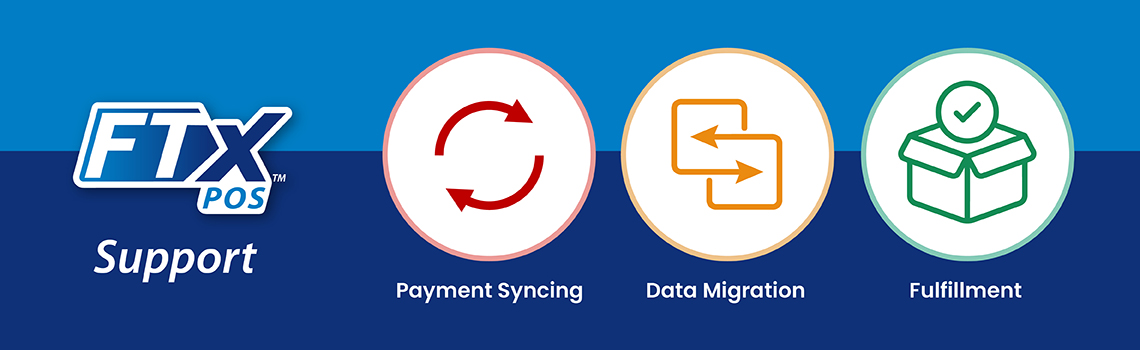
Connect with your POS provider’s support team. They will outline the process for you to help it go as smoothly as possible. With FTx POS, we offer support for:
You may have already started this process. If you have no website, you’ll need to build one and incorporate the ecommerce platform. This will allow you to have product pages and collection pages on your site.
Here’s how FTx Commerce works:
Generally, you’ll have your existing website and then house your online store on a subdomain like shop.yourwebsite.com. Or you can turn the ecommerce shop template into your homepage.
Before you connect anything, clean up what’s already there. Duplicate customer profiles. Inconsistent product names. Old pricing. Fix it now so you don’t migrate problems into your new system.
Map out exactly how you want orders to flow. Will online orders ship from stores or a central warehouse? Can customers return online purchases in-store? Decide this before you build.
Configure how often inventory is updated. Match product details so descriptions, prices, and images look the same everywhere. Test a handful of items before syncing everything.
Place orders yourself. Buy something online and pick it up in-store. Return something. Break things on purpose. Find the problems before your customers do.
Once you’re live, watch the data. Which products perform better online? Are there fulfillment bottlenecks? Tweak as you go. Integration isn’t a set-it-and-forget-it project.
Announce your launch. Train your staff. Watch metrics closely for the first few weeks. Fix what’s broken. Celebrate what’s working.
You might also need to do a POS integration if you’re opening a physical location. For example, you run an ecommerce shop but want to open a showroom. You’ll need a POS system to handle in-store transactions.
Therefore, in this scenario, you already have the ecommerce platform. You then need to choose a POS that integrates with this platform.
Here’s how that process would work:
Check if the POS has an application programming interface (API) and if it’s compatible with your ecommerce platform.
Once you’ve found a platform, you can then begin to migrate data, integrate payments, and set your shipping options.
For the most seamless transition, it’s best to work with a developer. A developer will help you properly sync the platforms, and ensure you have no problems with data migration or ship-to-store processes.

The biggest takeaway is this: Find a developer. Although most entrepreneurs want to do things on their own, a seamless integration requires technical expertise. Choose a developer who has experience building ecommerce experiences.
You’ll want to think about these specifics as you build a website that’s linked to your POS:
Check for compatibility in software versions, protocols, and data formats to prevent technical issues. Not all POS and ecommerce platforms are compatible. Ask a developer to provide you with options that are aligned to your goals.
There are two main costs to consider: the cost of the initial integration as well as ongoing maintenance. The latter you can’t afford to miss. Maintenance will ensure long-term performance and security.
What custom options do you need? Do you want a basic ecommerce storefront? Or do you need a fully customizable platform? Generally, customizations will help you build a process that best suits your business. However, customization can drive up costs.
This is an important step, and you should do this early in the development phase. Map out the user experience. What do you want your customers to be able to do? Define the exact order placement and processing workflow. Once you set this outline, you can begin to customize the process and move to full automation.
Prioritize the security of customer and transaction data. Implement secure protocols that comply with industry standards. Generally, you’ll want to choose a developer with ecommerce experience who understands how to secure this type of data.
Finally, don’t forget to provide thorough training for staff. New processes, like curbside pick-up, should be explained in detail with hands-on training. This creates better customer experiences and helps you identify potential issues before they arise. Specifically, make sure your staff knows how to:
They should be able to do this regardless of the sales channel
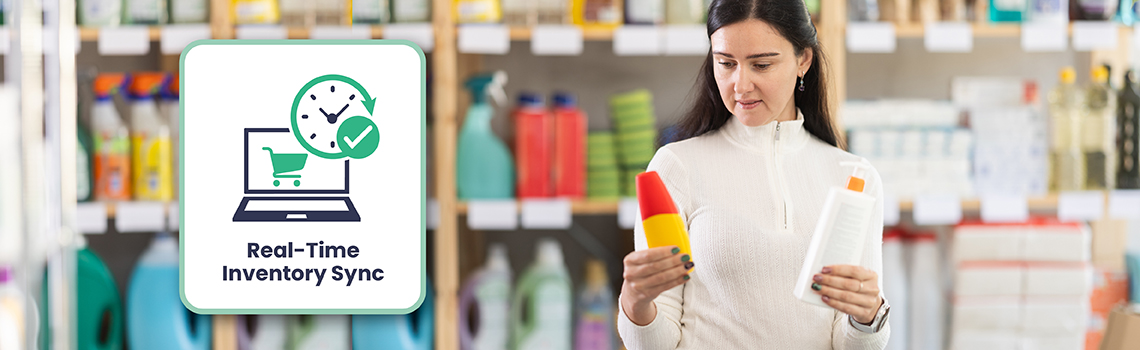
Not all integrations update at the same speed. Some sync daily. Some sync in real-time. The frequency determines whether you’ll ever sell a product twice. Real-time sync means when something sells online, it’s gone from your store inventory instantly. No lag. No overselling.
Define how orders route through your business. Maybe small items ship from a central warehouse while bulky items come from the nearest store. Set the rules once. The system applies them automatically, every time.
When you run a sale, it should run everywhere. Website, store, app – same price, same offer. Integration ensures customers see consistent pricing regardless of where they shop.
Your POS and ecommerce platform don’t exist in isolation. You likely use email marketing, accounting software, or loyalty tools. The best integrations connect with these, too.
Today you have one store and a website. Next year you might have three stores and sell on Instagram. Choose an integration that grows with you, not one you’ll outgrow.
Customer data moves between systems when you integrate – payment details, personal information, and purchase history. Make sure your integration is secure: uses encryption, secure APIs, and meets PCI standards (Payment Card Industry Data Security Standard), the rules for protecting credit card information.
Separate systems mean separate reports. Integration means one dashboard shows you everything. Online sales, in-store transactions, customer behavior – all in one view. You stop guessing and start knowing.
FTx POS provides a comprehensive POS system tailored for both ecommerce and brick-and-mortar stores. With advanced features and a user-friendly interface, it’s a popular choice for business owners seeking an efficient way to manage sales transactions.
We also offer FTx Commerce, our online store solution, enabling you to manage both your online and physical stores from a single platform. This simplifies inventory management, order fulfillment, and customer data management.
By automating procedures and synchronizing data across two channels, integrating your POS with your website offers many advantages. You’ll be able to make data-driven decisions and give your shoppers an experience they’ve come to expect.
Ultimately, it all boils down to the customer experience. Ask yourself this question: How will connecting my POS and online store better serve customers?
When you answer that, you can start to design processes and integrations that help you reach real sales and customer service goals.
You’ve seen how integration fixes real headaches: manual errors, messy inventory, and fragmented customer experiences. The question isn’t if you should integrate – it’s which platform can do it flawlessly, without months of stress or hidden costs.
Integrating your POS system with your ecommerce platform can bring several benefits to your business, including improved efficiency, better inventory management, and a more seamless customer experience.
By streamlining operations and providing access to comprehensive data and insights, the integration can help businesses make informed decisions and increase their overall productivity and profitability.
By providing customers with an easy way to buy products online, integrating POS with ecommerce platforms can extend a business's reach beyond its physical location. This creates growth opportunities and attracts new customers who prefer shopping online.
Yes, many ecommerce POS integrations enable you to offer a pick-up in-store option, providing flexibility and convenience for your customers.
In FTx POS, our ecommerce solution, FTx Commerce, allows you to offer a pick-up-in-store option. Additionally, you can integrate with DoorDash for local deliveries.
The easiest method to set up for integrating your ecommerce and POS platforms may vary depending on the specific systems you are using.
However, the most common and straightforward method is through a third-party integration service or app. These services often have pre-built integrations with popular POS and ecommerce platforms, making the setup process quick and hassle-free.
It's important to research and compare different options to find one that fits your business needs and offers reliable support in case of any issues during the integration process.
They can vary based on factors like your business size, the complexity of the integration, and the specific systems used. Potential costs to consider include:
Data security is an important aspect to consider when integrating POS and ecommerce systems. With the increasing number of data breaches and cyberattacks, it is important to ensure that the integration process does not compromise the security of sensitive customer information.
One of the biggest concerns surrounding data security in this context is the transfer of customer payment information between different systems. This includes credit card numbers, CVV codes, and other personal details.
Any vulnerabilities or gaps in this process can lead to unauthorized access to customer data. This could result in financial loss and damage to a company's reputation.
Absolutely!
You can set permissions and restrictions for different users, ensuring that only authorized personnel have access to sensitive information. This adds an extra layer of security to the overall process while also allowing for efficient management of business operations within the platform.
That said, integrating your POS and ecommerce platforms not only streamlines your operations but also maintains control over user access for added security measures.
If you stop using the POS ecommerce integration, your data will remain accessible in both systems. However, data sharing and syncing may be limited without the integration. Check with your POS provider about their data retention and access policies after discontinuing the integration. It's also wise to back up all your data in case of any unexpected issues or changes in system compatibility.


Danielle Dixon | 12 Min Read
Danielle Dixon | 13 Min Read
Danielle Dixon | 18 Min Read