
Think about your checkout counter for a moment. You’ve got your POS, cash drawer, barcode scanner, payment terminal, and maybe a customer-facing display—all working together to keep transactions moving.
But as retail technology evolves, POS hardware is becoming more flexible, compact, and capable of supporting much more than checkout.
Android POS hardware gives retailers another option to consider.
Android devices give retailers more ways to use their POS throughout the store. A countertop terminal can handle everyday transactions, while a smaller touchscreen device or handheld can help employees check inventory, scan products, or assist customers where they’re needed. For retailers looking to make better use of their space while giving employees more freedom to work where they’re needed, it’s worth considering.
But with so many hardware options available, where do you start? The right POS setup isn’t necessarily the newest device or the one with the lowest price. It’s the one that makes sense for your store, your employees, and the way you serve your customers.
In this guide, we’ll walk through what to look for in Android POS hardware, why retailers are considering it, and how LANDI devices can work with FTx POS to create a checkout setup built around your store.
What Is Android POS Hardware?
Simply put, it’s point-of-sale equipment that runs on the Android operating system. For retailers, that can mean a smaller, more streamlined setup that still handles the everyday tasks you rely on your POS to manage.
The hardware itself is part of what makes Android interesting. Android devices typically use smaller internal components and take up less space, with a mobile-first design that opens up more possibilities for how a POS can be used. Depending on the device and setup, one piece of hardware can even serve as a POS, handheld, or payment terminal.
That can be especially helpful when employees need to work beyond the checkout counter. With FTx, for example, employees can use an Android handheld or the embedded version of Control Center to handle inventory tasks such as receiving and reordering. Instead of walking back to a fixed workstation, they can access those tools where the work is happening.
And if you’re wondering about Windows, there’s no need to leave it behind. FTx’s new cloud infrastructure is designed to support both Android and Windows devices using the same code base across both platforms. Retailers can choose the hardware that makes sense for their store while still getting a consistent FTx POS experience across supported devices.
Ultimately, Android gives retailers another way to put their POS technology to work—whether that’s at the checkout counter, on the sales floor, or somewhere in between.
Why Retailers Are Considering Android POS Systems in 2026
The appeal of Android POS hardware goes beyond the operating system itself. For retailers, it comes down to what the hardware makes possible at the checkout and throughout the store.
Touchscreen & Intuitive Cashier Interface
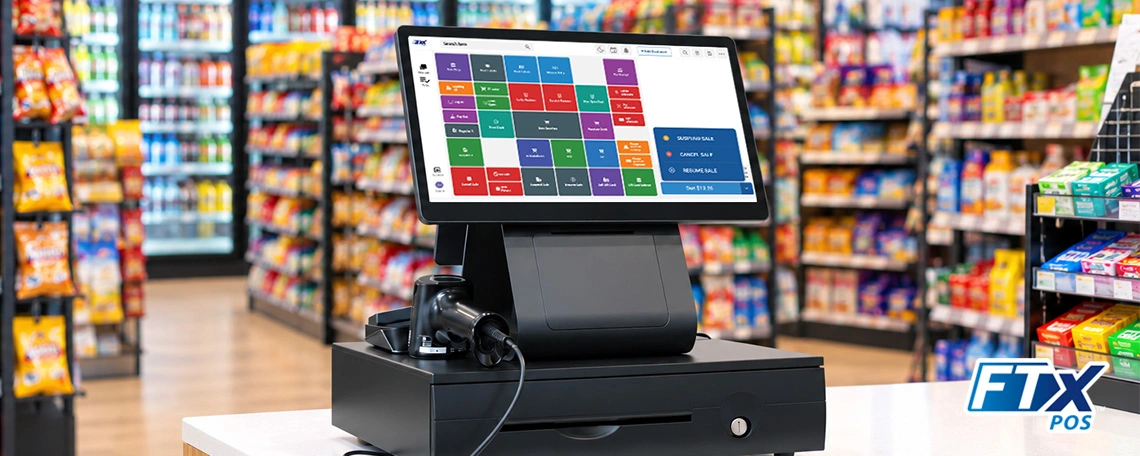
Touchscreen interfaces are now a familiar part of the retail experience, and a well-designed POS can make everyday checkout tasks easier to navigate. Cashiers can quickly find products, complete transactions, manage items, and move through common tasks without having to work through a complicated desktop-style interface.
FTx POS uses a modern, app-style interface designed to keep common tasks straightforward and checkout moving. Simplified workflows and quick-access actions help cashiers navigate the POS, while the Android and Windows versions are designed to provide a consistent experience across supported devices.
That consistency can be especially valuable when employees move between registers or when a retailer operates multiple locations. The hardware may vary, but the POS experience can remain consistent from one device to the next.
Greater Hardware Flexibility
One of the biggest advantages of Android POS hardware is simply having more options.
A retailer might use a countertop terminal at the main register, a handheld device for inventory counts, or additional mobile POS devices when a store needs another checkout point.
This flexibility can be especially useful for stores with limited counter space. Instead of building the entire checkout area around a large computer, retailers can choose hardware that better fits the available space and workflow.
Faster Deployment and Scalability
Adding another register shouldn’t require rebuilding the entire technology setup.
Modern Android POS devices can make it easier to deploy additional POS stations as a business grows. FTx POS is designed to work across fixed checkout stations and mobile POS devices, giving retailers flexibility as their hardware needs to change.
For a growing retailer, that can mean starting with the equipment needed today and expanding the setup as transaction volume, store count, or operational needs change.
Support for Modern Retail Apps
Adding another register shouldn’t mean starting with your POS setup.
Android POS devices can make it easier to add registers or mobile devices when you need them. FTx POS supports both fixed checkout stations and mobile POS devices, so retailers can configure their hardware based on how employees and customers move through the store.
That can be useful when transaction volume increases; a new location opens, or employees need more devices to handle inventory and other tasks. Instead of replacing the existing setup, retailers can add the equipment that makes sense for the way the store operates.
Explore FTx POS on Google Play to see how the Android experience works.
Accelerated Checkout
At the register, every extra step can add time to a transaction.
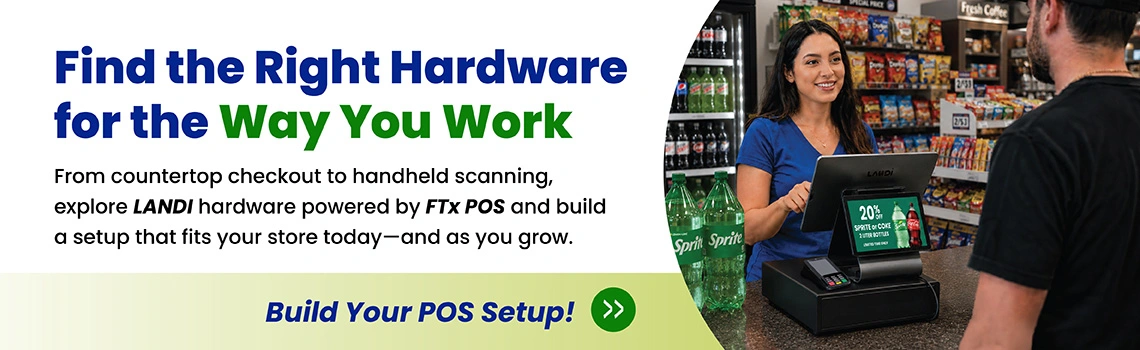
Android POS hardware can bring the touchscreen, payment experience, customer-facing display, and other checkout components closer together in a more compact setup. The LANDI C20 Pro, for example, combines a touchscreen terminal, customer-facing display, and built-in thermal printer in one device.
For high-traffic retailers, that combination can help create a cleaner checkout experience without filling the counter with separate equipment.
Why Is LANDI Hardware a Good Fit for Retail POS?
Choosing Android hardware is only part of the decision. Retailers also need to think about the actual equipment sitting on the counter and moving through the store.
LANDI hardware gives retailers several configurations to work with, including countertop POS equipment, cash drawers, and handheld barcode scanning.
Android-Based Operating System
LANDI’s C20 Pro is an Android-based POS terminal designed for modern retail checkout. FTx currently lists the C20 Pro with Android 13, along with a touchscreen, customer-facing display, and built-in thermal printer.
That combination puts several traditionally separate pieces of checkout hardware into a single terminal.
For retailers looking to modernize without making the checkout counter more complicated, that’s an important consideration.
Countertop & Handheld Hardware
Not every retail task happens at the register.
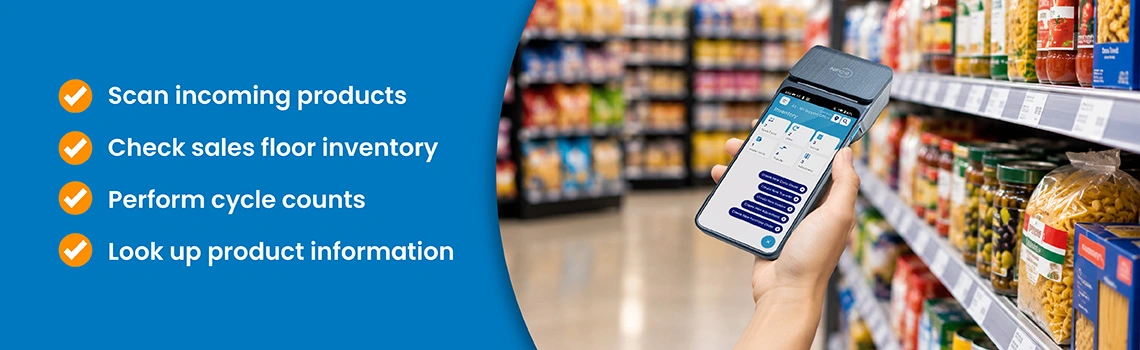
Employees may need to scan incoming products, check inventory on the sales floor, perform cycle counts, or look up product information while helping customers. That’s where smaller handheld hardware can make a difference.
A compact setup can also be useful for retailers working with limited counter space. Instead of dedicating a large footprint to every component, retailers can choose equipment based on how and where it will be used.
FTx’s Android handheld tools are designed around this type of mobility, supporting real-time inventory and operational tasks while employees remain on the sales floor.
Connectivity with Hardware Modules
A POS isn’t just the touchscreen.
A complete checkout setup may also include:
- Customer-facing displays
- Barcode scanners
- Receipt printers
- Cash drawers
- Payment devices
- Touchscreen terminals
LANDI’s C20 Pro brings several of these functions together. The terminal includes the primary touchscreen, customer-facing display, and built-in printer, while the LANDI bundle adds a cash drawer and handheld barcode scanner.
That makes it possible to build a checkout station without piecing together every component separately. For more POS hardware options, explore FTx’s hardware lineup.
Mobility and Portability
A POS that can move with the employee can be useful far beyond traditional checkout.
Handheld Android devices can support inventory counts, receiving, purchase orders, and other store operations without requiring employees to walk back to a fixed computer. FTx’s Android handheld applications are designed specifically to support these types of real-time retail tasks.
For retailers, that can mean less time walking back and forth and more information available where the work is happening.
Payment Compatibility
Payment hardware is another important part of the POS equation.
Retailers should consider whether their POS hardware can work with their preferred payment setup and whether transactions can be handled directly through the POS workflow.
FTx POS supports integrated payment processing, while its broader hardware lineup also includes payment terminals such as the PAX A920 and PAX A35 as additional hardware options.
The right payment configuration will depend on the retailer’s processor, transaction environment, and specific hardware requirements.

Durability and Retail-Focused Design
Retail hardware has to work in the real world.
That means considering more than processor specifications. Retailers should think about available counter space, transaction volume, how often employees need to move equipment, and which peripherals are necessary at each station.
A compact all-in-one terminal may make sense for one store, while another may need separate displays, scanners, cash drawers, and handheld devices.
The goal is to build a setup around the workflow—not force the workflow to fit the hardware.
LANDI Hardware That Supports Android POS by FasTrax
FTx brings these pieces together with its LANDI Android POS hardware bundle. The setup includes the LANDI C20 Pro terminal with a customer-facing display and built-in thermal printer, along with the LANDI CD20 cash drawer and handheld scanner.
Explore the LANDI POS hardware lineup to see the available equipment and setup options.
Let’s take a closer look at what each piece brings to the setup:
POS Hardware Bundle
The LANDI hardware bundle includes:
- Interactive touchscreen terminal
- Customer-facing display (CFD)
- Built-in thermal printer
- Cash drawer
- Barcode scanner
- Android 13
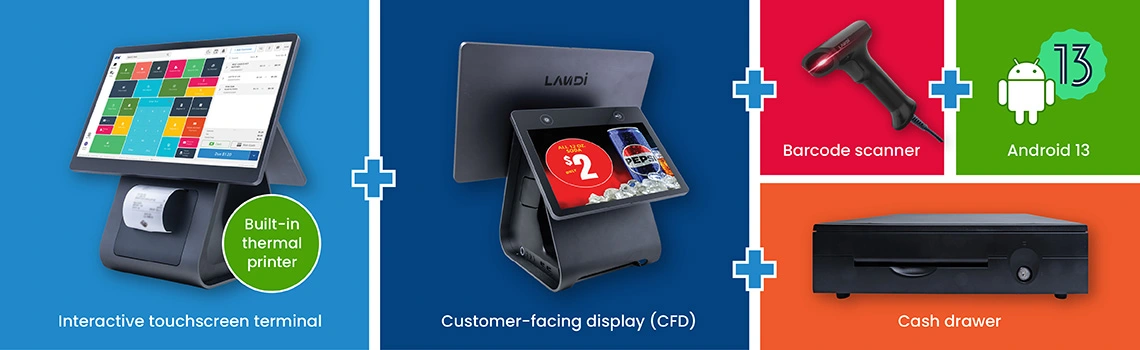
Together, these components give retailers the main hardware needed for a countertop checkout station. FTx also offers additional hardware options for retailers looking to configure their setup differently.
POS Register
LANDI C20 Pro with CFD
The LANDI C20 Pro puts several important checkout functions into one Android terminal. It features a large touchscreen for the cashier, a customer-facing digital display, and a built-in thermal printer, keeping the checkout area organized while giving both sides of the transaction a dedicated screen.
Cash Drawer
LANDI Cash Drawer CD20
The LANDI CD20 provides a dedicated place for cash at the register and includes a key lock and auto-open function. It works alongside the C20 Pro to round out the countertop checkout setup.
FTx also offers an HP Cash Drawer as an additional hardware option for retailers looking to build a different configuration.
Handheld Scanner
LANDI Handheld Scanner
The LANDI is a lightweight handheld scanner designed for fast and accurate barcode reading, giving employees a convenient way to scan products when they need to.
FTx also offers the HP Engage Imaging Barcode Scanner as an additional scanner option.
Conclusion
Android POS hardware is no longer just about replacing a traditional checkout computer. Today’s systems can support checkout, barcode scanning, inventory tasks, mobile workflows, customer-facing displays, and payment processing—all within a more adaptable hardware setup.
That’s why it’s worth looking beyond the individual device. The right setup should make sense for your store’s space, transaction volume, employees, and day-to-day workflow.
With options such as the LANDI C20 Pro, CD20 cash drawer, and handheld scanner, retailers can build an Android POS setup around how their store actually operates. And with FTx POS supporting both Android and Windows environments, you can choose the hardware that fits your operation while keeping your POS experience consistent.
FAQs
Android POS hardware is point-of-sale equipment that runs on the Android operating system. It can support touchscreen checkout and connect with peripherals such as barcode scanners, cash drawers, receipt printers, customer-facing displays, and payment hardware.
Yes. Android POS hardware can support busy retail environments, with the right setup based on factors such as transaction volume, number of registers, peripherals, and workflow.
That depends on your checkout setup. Common peripherals include cash drawers, barcode scanners, receipt printers, customer-facing displays, and payment hardware.
Consider your store's space, transaction volume, checkout workflow, mobility needs, payment setup, and required peripherals. It's also worth choosing hardware that can grow with your business.
Yes, when paired with the right POS and inventory tools. FTx supports inventory tasks through its POS, handheld, and back-office solutions.
Yes. FTx POS supports configurable tenders and multiple payment options, along with integrated payment processing through supported hardware and payment solutions.
Yes. When used with FTx POS and its management tools, Android hardware can be part of a multi-location retail setup with support for operations such as inventory, pricing, and reporting.
LANDI is a line of POS hardware that includes countertop terminals and retail peripherals. The LANDI C20 Pro is the centerpiece of FTx's current Android setup, combining a touchscreen, customer-facing display, and built-in thermal printer. FTx also offers the LANDI CD20 cash drawer and handheld scanner as part of the LANDI hardware lineup.
The LANDI C20 Pro featured by FTx runs on Android 13. FTx POS itself supports both Android and Windows hardware, so retailers can choose between supported device types. The operating system depends on the specific hardware being used.
Yes. FTx offers LANDI hardware specifically as part of its FTx POS hardware lineup. The LANDI C20 Pro, CD20 cash drawer, and handheld scanner are included in FTx's LANDI hardware bundle.
For a basic countertop setup, the LANDI C20 Pro is the primary POS terminal. It combines the touchscreen, customer-facing display, and thermal printer in one device. From there, retailers can add components such as the CD20 cash drawer and handheld scanner based on how their store operates.
LANDI hardware can be part of an FTx POS payment setup, but the specific payment configuration depends on the hardware and payment solution selected. FTx offers integrated POS-to-terminal payment options, including supported payment terminals such as the PAX A920 and PAX A35.
Yes. FTx's LANDI lineup includes the handheld scanner, designed for fast and accurate barcode scanning. FTx also supports additional scanner options, including an HP Engage Imaging Barcode Scanner, giving retailers some flexibility when configuring their checkout hardware.
Yes. The LANDI C20 Pro includes a customer-facing digital display alongside the cashier's touchscreen. That gives customers a dedicated view of the transaction while the cashier works from the primary POS screen.
LANDI hardware can work in a range of retail environments, but there isn't a one-size-fits-all setup. A smaller store may prioritize a compact terminal, while a larger retailer may need multiple registers, handheld devices, or additional peripherals. The right configuration depends on the store's workflow and operational needs.
Think beyond the terminal itself. Consider how much counter space you have, how many transactions you process, whether employees need mobile hardware, which peripherals you'll need, and how you'll handle payments. It's also smart to consider what your setup may look like a year or two from now—not just what you need on day one.
FTx's LANDI setup includes several key checkout components. The C20 Pro includes a customer-facing display and built-in thermal printer, while the LANDI lineup also includes the CD20 cash drawer and handheld scanner. FTx offers additional hardware options, including HP cash drawers and barcode scanners, depending on the configuration.