

Managing a multi-location retail business brings a host of challenges. From keeping operations streamlined across different stores to ensuring a consistent customer experience, these complexities can feel overwhelming. For large enterprises, fragmented systems and inefficient processes often lead to frustrated staff, operational delays, and missed opportunities for growth.
Did You Know?According to Grand View Research, the global large enterprises segment generated an impressive $3,151.7 million in revenue in 2024 and is projected to surge to $8,050.6 million by 2030.
But what if there was a way to transform how you manage your retail operations? That’s exactly where enterprise point-of-sale (POS) systems come into play. These advanced solutions tackle pain points head-on, giving you the tools to simplify processes, boost efficiency, and align your operations with growth strategies.
This post explores how enterprise POS systems address these challenges and highlights key features to look for when choosing the right solution for your business.
Understanding Enterprise POS Systems
An enterprise point-of-sale system is a platform designed specifically for larger and more complex retail businesses. Unlike standard POS systems that cater to small or single-location stores, enterprise solutions are built to handle multi-store environments. They offer centralized management tools, seamless integrations with other software (like enterprise resource planning (ERP) and customer relationship management (CRM)), and advanced reporting and analytics to help enterprises stay ahead in a competitive market.
Why Are Enterprise POS Systems Critical?
Large-scale operations bring unique challenges. Enterprises need to oversee inventory across multiple locations, manage region-specific promotions, and ensure consistent customer experiences across all channels. Enterprise point-of-sale systems empower businesses to meet these demands efficiently. With features like centralized control, automation, and real-time data insights, they provide the foundation for scalable and sustainable growth.
15 Common Pain Points in Enterprise Retail Operations
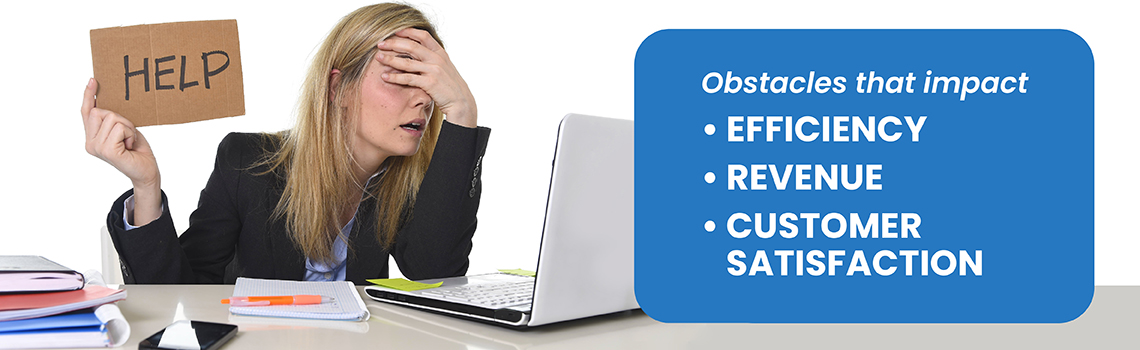
Enterprise retailers consistently encounter obstacles that impact efficiency, revenue, and customer satisfaction.
Here’s an overview of the most pressing challenges and how they hinder success:
No real-time visibility into sales and inventory across locations
Gaps in access to live data make it harder to make informed decisions, leading to stockouts or overstocking.
Disconnected systems creating data silos
When your POS, ERP, and CRM can’t communicate, you lose the ability to connect operational insights.
Delayed store launches
Manually setting up new store systems slows growth strategies and wastes crucial time.
Inconsistent customer experiences across channels
Multiple touchpoints often feel fragmented without a unified approach.
Manual reporting from multiple locations
Collecting operational data manually eats up resources and introduces errors.
Challenges applying chain-wide promotions or price changes
Without centralized control, pricing updates are tedious and unreliable.
Over-reliance on IT
Non-technical staff struggle to make even minor updates, resulting in bottlenecks.
Frequent POS crashes at peak hours
System performance issues directly translate to lost sales and dissatisfied customers.
Compliance risks
A lack of centralized control over policies increases the likelihood of lapses.
Training inconsistencies
Multiple systems create confusion and inefficiencies for staff learning the technology.
Fragmented loyalty programs and customer data
Poor integration causes loyalty programs to lose effectiveness.
Unpredictable POS maintenance costs
Legacy systems often incur unexpected expenses due to outdated hardware or lack of support.
Lack of a unified customer view
With fragmented data, marketing strategies remain generic rather than targeted.
Security vulnerabilities
Outdated systems pose security concerns for both data and transactions.
Scaling limitations
Rapid growth becomes impossible when systems can’t adapt to increased demand.
How Enterprise POS Systems Solve These Challenges

Innovative enterprise point-of-sale solutions tackle these pain points directly with a range of practical features.
Here’s how they make all the difference:
Live, Multi-Location Data Access
Gain instant visibility into sales and stock levels, empowering better decision-making.
Seamless Promotions Updates
Launch pricing or promotional changes across all stores in seconds.
Flexible Staff Permissions
Ensure team members can only access what’s relevant to their role.
Rapid Store Rollouts
Open a new location in hours with preconfigured systems and remote deployment.
Integrated Systems
Say goodbye to data silos with built-in ERP, CRM, and more.
Unified Customer Insights
Share customer data across channels for a seamless experience and personalized marketing.
Automated Stock Management
Effortlessly optimize stock levels with real-time, predictive restocking capabilities.
Quick, Efficient Training
User-friendly systems reduce the learning curve and increase productivity faster.
Centralized Compliance Tools
Minimize compliance risks with built-in audit trails and control mechanisms.
Stable Performance
Avoid downtime during peak hours with robust hardware and software.
High-Volume Transaction Handling
An enterprise point of sale system is built to handle peak-hour loads across multiple locations simultaneously.
Loss Prevention & Fraud Monitoring
Modern enterprise POS software includes built-in tools to detect suspicious activity in real time.
Faster Checkout & Reduced Queue Times
Faster processing reduces queues, improves staff efficiency, and creates a smoother in-store experience.
Automated System Updates
Keeping software current across dozens or hundreds of stores can be a challenge. Enterprise POS systems simplify this with automated updates that roll out centrally.
15 Key Features to Look for in an Enterprise POS Solution

Selecting the right enterprise POS solution can feel overwhelming with so many options on the table. To simplify the process, it’s important to zero in on features that truly make a difference in managing and scaling multi-store retail operations.
Here’s a closer look at the must-have features and why they matter:
Centralized Multi-Store Management
Picture this: managing inventory, promotions, and sales data for all your locations from one central hub. With centralized management, you’ll save time, reduce errors, and maintain consistency across the board. No more juggling separate systems for each store!
Advanced Inventory and Supply Chain Tools
Stay on top of stock levels and optimize your supply chain like a pro. Advanced tools can predict inventory needs, track stock across locations in real-time, and automatically reorder popular items to avoid stockouts.
Smarter inventory starts here! Automate tasks, track inventory live, and connect effortlessly with your POS. It’s time to run your business more efficiently! Learn More
Robust Integrations (ERP, CRM, Loyalty, etc.)
The right POS system should work seamlessly with everything else you use – from ERP software to CRM platforms and loyalty programs. These integrations provide a unified view of your business, turning fragmented data into actionable insights.
Real-Time Analytics and Smart Reporting
Gone are the days of waiting on weekly reports. Real-time analytics empower you to track performance as it happens. Easily monitor sales trends, identify best-selling products, and adjust strategies on the go.
Scalable Architecture
Your business is growing, and your POS should grow with you. Whether you’re adding stores or expanding to new markets, a scalable system ensures smooth operations without skipping a beat.
Centralized Pricing and Promotions Engine
Running chain-wide promotions or updating pricing shouldn’t feel like an impossible task. A centralized engine ensures updates are applied across all locations instantly, keeping pricing consistent and reducing errors.
Security and Compliance Readiness
Data breaches aren’t just costly; they damage trust, too. Look for POS systems with enterprise-grade security features, like encryption and fraud detection, and ensure they comply with industry regulations to keep your business and customers safe.
Granular Role-Based Access Control
With multiple team members accessing your system, you need control over who can do what. Role-based permissions allow you to restrict access to sensitive data while empowering employees to handle their specific responsibilities.
Omnichannel Fulfillment Capabilities
Today’s customers expect seamless transitions between online and in-store shopping. Whether they’re buying online and picking up in-store or requesting same-day delivery, your POS should support these options without skipping a step.
Build your online store now! Create a seamless online shopping experience with easy setup, real-time inventory syncing, and mobile-first design. Take your business to the next level today!
AI-Driven Automation
Imagine a system that predicts stock needs, personalizes customer offers, or automates tedious back-end processes. AI-driven automation frees up your team to focus on what matters most while improving accuracy and efficiency.
Built-In Training and Support Tools
Retail often deals with high employee turnover. Systems with built-in training tools make onboarding new staff quicker and easier, ensuring everyone is up to speed without lengthy downtime.
Hardware Compatibility
Whether you run traditional checkout counters or sleek modern kiosks, your POS should play well with the hardware you have. Compatibility with devices like scanners, printers, and self-checkout terminals can save you money and simplify implementation.
Multi-Region Localization Support
Expanding to new regions? Your POS should easily adapt to multiple currencies, tax rules, and language settings, ensuring operations run smoothly no matter where you go.
Flexible Deployment Methods
Flexibility matters, especially when opening new stores or adapting to changing business needs. Look for cloud-based solutions that allow remote setup or hybrid options for more complex demands.
Customizable Receipts and Invoices
Small details make a big impression. Customizable receipts and invoices allow you to add logos, personalized messages, or region-specific details to enhance customer experiences and keep your branding consistent.
Evaluating Top Enterprise POS Systems: How to Choose
Selecting the best POS system for large businesses can feel overwhelming, especially with so many options on the market. A good system is more than just software; it’s the backbone for managing operations across multiple locations.
To help streamline your decision, here’s a breakdown of the essential criteria to consider and some of the industry’s standout solutions:
Functionality Coverage
The best enterprise POS systems go beyond basic transaction processing. They combine features for inventory management, employee scheduling, customer relationship management, and even omnichannel capabilities. Assess whether the system can cover both your current business needs and any growth plans.
Integration Capabilities
Seamless integration with other business-critical tools like CRMs, ERPs, and ecommerce platforms is a must. A powerful integration layer ensures all your systems work together to provide a unified view of your operations.
Scalability and Deployment
Growth shouldn’t be held back by technical limitations. Choose a system that can scale with your business as you expand to new locations or markets. Additionally, opt for solutions that offer fast deployment and flexible configuration options to minimize downtime during rollout.
User Access and Security Controls
A robust POS system includes role-based access control to ensure staff have only the permissions they need. Look for systems with advanced security measures like encryption and compliance with industry regulations, ensuring both data protection and operational integrity.
Reporting and Analytics
Real-time analytics can provide actionable insights into your business. Evaluate whether the system offers deep reporting capabilities for sales, inventory, labor, and customer behavior. Business intelligence tools can take this a step further by unlocking predictive analysis.
User Experience and Training
Simplicity and ease of use are crucial. A system with an intuitive interface reduces training time and increases adoption rates. Some solutions even come with built-in training tools to onboard new employees quickly, which is especially valuable in high-turnover environments.
Customization and Flexibility
Every enterprise has unique needs. The ability to tailor the system, from interfaces to workflows, can make or break its effectiveness. Configurable architecture ensures you can adapt the software to fit your specific business model.
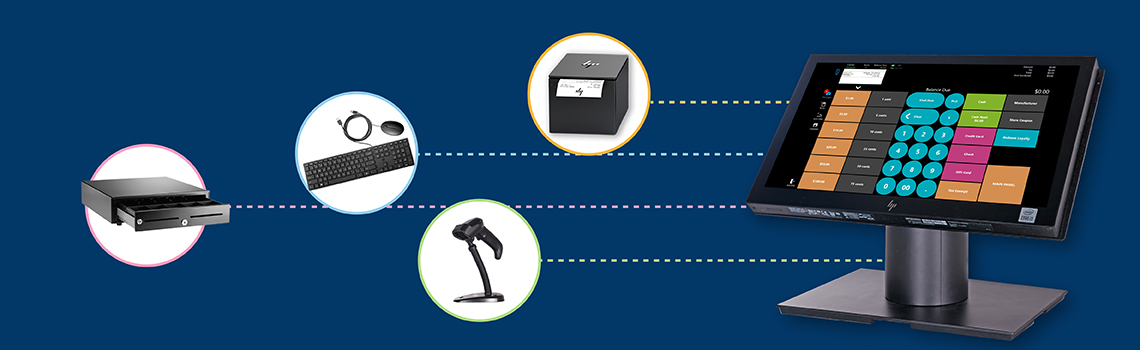
Hardware Compatibility
A compatible system works seamlessly with your existing hardware or can easily integrate with new peripherals. Whether it’s payment terminals, barcode scanners, or receipt printers, compatibility minimizes extra costs and installation headaches.
Cost Structure
Enterprise systems should provide value for every dollar spent. Analyze the total cost of ownership, including licensing, hardware, and support fees, to ensure there are no hidden surprises.
Notable Solutions
Here are five enterprise POS providers excelling in the market and why they’re worth considering:
FTx POS
A top-tier solution offering advanced features like a unified enterprise control panel, predictive analytics, and rapid deployment for multi-store operations. With omnichannel capabilities and enterprise-grade security, FTx POS is tailor-made for businesses looking for seamless control and scalability.
Lightspeed
Lightspeed offers basic tools for inventory and sales tracking across multiple locations. While it provides integrations and ease of use, it may not offer the advanced control some enterprises require.
Epos Now
Epos Now focuses on affordability and integrates with third-party tools. It provides basic functionality suitable for smaller operations but may lack the depth needed for larger enterprises.
Stripe Terminal
Stripe Terminal is centered on payment processing with strong application programming interface (API) capabilities. However, its feature set may be limited for businesses looking for an all-encompassing POS solution.
Shopify POS
Shopify POS is designed for businesses prioritizing ecommerce, providing tools to connect online and offline operations. This focus, however, might not fully cater to enterprises with extensive brick-and-mortar needs.
Implementing an Enterprise POS System: Best Practices
Implementing an enterprise POS system is a significant step that can drastically enhance operational efficiency and support business growth. However, proper planning and execution are essential for success.
The following best practices can serve as a guide:
1. Assessment
Before introducing a new system, it’s crucial to conduct a thorough needs analysis to identify your specific requirements.
Evaluate your current pain points, such as disconnected systems or the lack of real-time reporting.
Understand the unique needs of your business, including scalability for future growth or integrations with other enterprise tools like ERP and CRM.
Engage stakeholders, including store managers, IT teams, and even front-line employees, to get diverse perspectives.
2. Vendor Selection
Choosing the right vendor is as important as selecting the system itself.
Look for providers that specialize in enterprise-level solutions with proven expertise in handling multi-location retail operations.
Evaluate vendors on key factors, including ease of integration, scalability, support services, and customization options.
Ensure they offer robust security measures and compliance standards to protect sensitive data.
Check out FTx POS’s testimonials to see how other enterprises have benefited from our solutions.
3. Pilot Testing
Before full-scale implementation, start small.
Deploy the system in a limited setting, such as one store or a specific location.
Use this phase to identify potential issues, such as system glitches or user interface challenges.
Fine-tune configurations and gather feedback from staff who will use the system daily.
Pilot testing ensures the system performs optimally before it’s rolled out to all locations.
4. Training
To maximize the benefits of your enterprise POS, ensure all relevant staff are adequately trained.
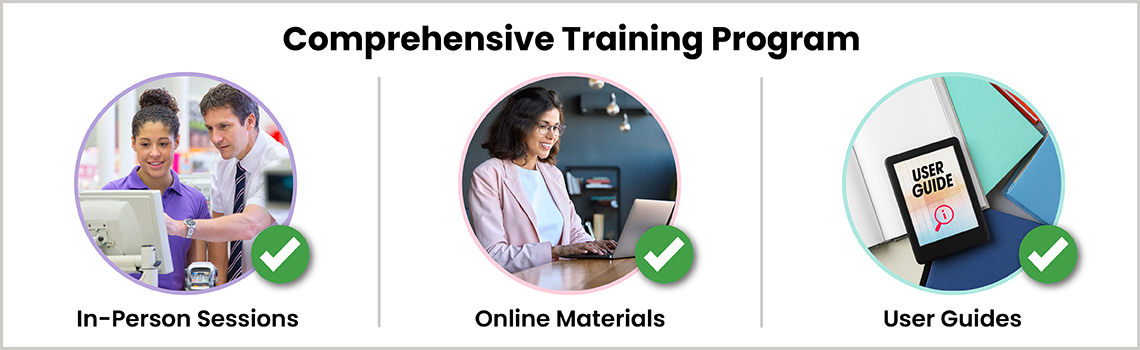
Develop a comprehensive training program that includes in-person sessions, online materials, and user guides.
Focus on high-turnover roles by offering quick and accessible onboarding for new employees.
Use built-in training tools within the POS system, if available, to make instruction seamless and contextually relevant. Well-trained staff are not only more productive but also less likely to make mistakes that affect operations.
5. Monitoring and Evaluation
Once the system is in place, active monitoring is essential to ensure its long-term success.
Regularly assess key performance metrics like transaction speed, downtime, and data accuracy.
Gather feedback from employees and store managers to identify areas for improvement.
Schedule periodic audits to ensure the system continues to meet compliance standards and perform under changing business dynamics.
By following these best practices, your enterprise can unlock the full potential of a robust POS system and set a solid foundation for operational excellence.
Future Trends in Enterprise POS Systems
The world of enterprise POS systems continues to evolve, responding to technological advancements and shifting consumer behaviors. Here’s a look at three key trends shaping the future of these platforms.
1. Artificial Intelligence (AI) and Machine Learning
AI and machine learning bring predictive capabilities that transform how businesses operate.
- Inventory Forecasting: AI can analyze historical sales data and seasonal trends to predict inventory needs, reducing overstocking or shortages.
- Personalized Experiences: Machine learning can use customer data to recommend tailored promotions, improving engagement and retention.
- Real-Time Insights: Analytics powered by AI provide actionable insights instantly, empowering enterprises to make smarter, faster decisions.

2. Enhanced Security Measures
Security is becoming a top priority, especially with increasing regulations and cyber threats.
- Biometric Authentication: Facial recognition adds a robust layer of protection by ensuring only authorized individuals access the system.
- Advanced Encryption Standards: Modern POS systems are adopting advanced encryption to protect sensitive customer and business data from breaches.
- Introducing FTx Identity: FTx POS leads the way with FTx Identity, providing secure, centralized user authentication across all locations. This eliminates the risks of shared passwords and offers real-time access monitoring to enhance compliance.
3. Sustainability Features
Sustainability is no longer optional; it’s a key consideration for modern enterprises.
- Eco-Friendly Hardware: POS providers are designing hardware that reduces energy consumption and uses recyclable materials, aligning with an eco-conscious market.
- Paperless Transactions: Digital receipts and invoices are gaining traction, reducing paper waste and lowering operational costs. Check out our eco-friendly hardware options here to learn more about how we’re contributing to a greener future.
4. Cloud-Native & API-First POS Architectures
Enterprise POS systems are steadily moving away from rigid, monolithic setups toward cloud-native and API-first designs that prioritize flexibility and speed.
- Cloud-Based Scalability: Cloud-native architectures allow enterprises to scale locations, users, and transactions without reworking infrastructure. New stores, features, or regions can be added faster, with minimal operational disruption.
- API-Driven Integrations: API-first POS platforms make it easier to connect with ERP systems, loyalty platforms, ecommerce tools, and third-party services. This ensures data flows cleanly across systems instead of living in silos.
- Faster Updates and Innovation: Because updates are handled centrally in the cloud, enterprises benefit from faster feature releases, security patches, and performance improvements without downtime-heavy upgrades.
5. Unified Commerce & Omnichannel Expansion
The future of enterprise retail lies in unified commerce, where online, in-store, and mobile experiences operate as one connected ecosystem.

- Single View of Customer and Inventory: Unified commerce eliminates the gap between channels. Inventory, pricing, promotions, and customer profiles stay consistent whether a shopper buys online, in-store, or through mobile.
- Flexible Fulfillment Models: Enterprises increasingly support buy online pick up in store, ship from store, and curbside fulfillment. A modern enterprise POS system coordinates these workflows in real time.
- FTx Commerce Enablement: Platforms like FTx Commerce extend the enterprise POS into the digital storefront, allowing retailers to launch and manage online stores that stay fully synced with in-store operations, inventory, and pricing.
6. Advanced Data Analytics
Enterprise POS systems are evolving into intelligence platforms that help retailers anticipate trends rather than react to them.
- Predictive Sales and Inventory Insights: Advanced analytics analyze historical data, seasonality, and demand patterns to forecast sales and optimize inventory allocation across locations.
- Operational Performance Monitoring: Enterprises can track store-level and chain-wide KPIs such as transaction speed, shrinkage, and staff efficiency, enabling faster corrective actions.
- Data-Driven Decision Support: Instead of relying on static reports, modern POS analytics support real-time dashboards that help leadership make informed decisions across merchandising, pricing, and promotions.
7. Industry-Specific POS Innovation
One-size-fits-all POS systems are giving way to industry-tailored enterprise solutions designed for regulatory, operational, and customer-specific needs.
- Regulation-Ready Capabilities: Industries like tobacco, alcohol, and healthcare require built-in compliance features such as age verification, audit trails, and controlled access. Industry-specific POS systems embed these requirements by design.
- Customized Workflows and Controls: Retail segments differ in how transactions, inventory, and promotions are managed. Enterprise POS platforms now offer configurable workflows to match industry realities instead of forcing generic processes.
- Vertical-Specific Integrations: From supplier systems to loyalty engines and compliance tools, industry-focused POS innovation ensures integrations are relevant, reliable, and scalable for that sector.
Why FTx POS Stands Out as the Best Enterprise POS System
When it comes to transforming retail operations, FTx POS delivers more than just functionality; it provides a strategic advantage for enterprise businesses looking to enhance efficiency, scalability, and customer satisfaction.
Here’s why FTx POS is a step ahead of the competition and how it aligns with the unique challenges of multi-location enterprises.
Unified Enterprise Control Panel
Managing multiple locations just got easier with Control Center. This all-in-one platform centralizes everything you need – inventory, sales, staff, and promotions – in one intuitive dashboard. With real-time insights at your fingertips, you can quickly track performance, update pricing, and keep inventory in check across all your stores.
Built-In Business Intelligence (BI) & Analytics
FTx POS takes the guesswork out of inventory management with tools like predictive ordering and anomaly detection. By analyzing past trends and adjusting for things like out-of-stock days or unusual sales spikes, it helps you stay ahead of demand. You also get real-time insights into sales and inventory, making it easy to spot seasonal patterns and prevent costly stock issues.
Fast Multi-Store Rollout & Remote Setup
Opening new locations no longer has to be a logistical nightmare. Whether you’re entering a new market or expanding your chain, FTx POS ensures rapid deployment. Thanks to intuitive tools and remote installation capabilities, new store setups are faster. With FTx, expanding is as smooth and efficient as your day-to-day operations.
Compliance-Ready + Enterprise Security
FTx POS takes data security and compliance seriously. With enterprise-grade encryption, role-based access controls, and audit trails, your sensitive customer and business data is protected. The platform’s compliance-ready capabilities ensure you’re always meeting industry standards, which is particularly crucial for heavily regulated industries like tobacco and alcohol retail.
Deep Inventory and Supply Chain Management
Managing complex supply chains is often one of the greatest challenges for enterprise retailers. FTx POS simplifies this process with real-time stock tracking, automated replenishment, and stock keeping unit (SKU) customization. These features make it easier to maintain optimal stock levels and reduce shrinkage, saving time and money across all your store locations.
Omnichannel-First Design
Today’s customers demand seamless shopping experiences, whether they’re interacting with your brand online or in-store. FTx POS bridges the gap with its omnichannel-ready design, ensuring consistency across all customer touchpoints. It integrates seamlessly with ecommerce platforms and loyalty programs to deliver unified customer journeys.
Fully Customizable and Modular
FTx POS adapts to you, not the other way around. From custom POS layouts to tailored workflows, every aspect of the system can be aligned with your specific business needs. This modularity is especially critical for enterprises requiring specialized features, such as automated upselling prompts or pricing updates across multiple locations in seconds.
Enterprise Loyalty & Personalization Engine
FTx POS goes beyond transactions by offering a built-in enterprise loyalty engine. Retailers can personalize rewards, promotions, and offers across multiple locations using real purchase data. This transforms the POS into a customer engagement tool rather than just a checkout system.
Advanced Role-Based Access & User Permissions
Managing access across a large organization requires precision. FTx POS supports advanced role-based permissions, allowing enterprises to control exactly who can view, edit, or manage sensitive data. This strengthens security while reducing dependency on IT for day-to-day changes.
Scalable Performance for High-Volume Transactions
Designed for point-of-sale multi-store environments, FTx POS delivers consistent performance even during high transaction volumes. Whether managing a handful of locations or a national chain, the system scales without performance degradation.
Marketing & Automated Upselling
Modern enterprise POS systems are no longer limited to checkout transactions. They are becoming active marketing tools that influence buying decisions in real time. One of the most effective ways to do this is through intelligent upselling powered by digital signage and in-store data.
With FTx Uplift, retailers can turn digital screens into dynamic marketing assets that respond to what’s happening at the POS. Promotions, product highlights, and upsell prompts can change automatically based on time of day, inventory levels, or active campaigns. Instead of static ads, digital signage becomes context-aware, showing the right message to the right audience at the right moment.
Seamless Integration with Hardware & Software
FTx POS is built to work smoothly with a wide range of hardware and enterprise systems. From scanners and payment terminals to ERP and CRM platforms, integrations are designed to support complex retail enterprise management system requirements.
Ecommerce Integration
Unified commerce is core to FTx POS. The platform connects in-store operations with ecommerce systems, ensuring real-time inventory sync, consistent pricing, and unified customer profiles across channels.
Integrated Payment Processing
FTx POS includes secure, integrated payment processing that supports multiple payment types across all locations. This simplifies reconciliation, reduces errors, and ensures a consistent checkout experience for enterprise retailers.
Additional Features
- Automated Processes: Reduce manual tasks with automation tools, like smarttill for real-time cash management.
- Enhanced Customer Loyalty: Integrated loyalty programs and marketing automation help build lasting customer relationships.
- Support at Every Step: From onboarding to day-to-day use, you’ll enjoy dedicated enterprise-level support ensuring a smooth experience.
Real Stories, Real Impact
I would recommend FTx POS to just about anybody because of the ease of use of most of the functionalities, which are pretty user-friendly — and the support staff is great. We’ve been able to get a hold of our inventory control, pull the necessary reports we’ve needed, and just had better control of the whole entire company.
– Jeff Samona, Wild Bill’s Tobacco
Conclusion
Enterprise POS systems truly change the game for retail businesses. They simplify operations, boost efficiency, and help create better customer experiences. With features like centralized management, real-time insights, and the flexibility to grow seamlessly, they give businesses the edge needed to compete and succeed.
If your current POS system feels like it’s holding you back, it might be time for an upgrade. Think about what your business needs and imagine how a more powerful, enterprise-ready solution could transform the way you work.
FAQs
FTx POS pricing is flexible and typically includes:
- Hardware costs (if needed): One-time fee for devices like all-in-one terminals, scanners, etc.
- Software license or subscription fees: Monthly or annual based on modules and number of terminals.
- Implementation & setup fees: Covers onboarding, configuration, and training.
- Custom development (if needed): For specialized enterprise workflows.
Exact pricing is usually customized based on size, number of locations, and feature set.
Yes.
- FTx POS offers custom pricing models for enterprise clients, including:
- Volume discounts for multi-location or high-terminal-count deployments.
- Bundled services for POS + ecommerce + loyalty + digital signage.
- Flexible contracts tailored to your business size and needs.
Enterprise rollouts depend on scale and complexity but generally follow this timeline:
- Initial setup & scoping: 1–2 weeks
- Configuration, customization, training: 2–6 weeks
- Go-live: Some clients are live within a month; complex deployments may take 6-12 weeks. FTx’s modular setup and experience with multi-location chains help streamline the process.
Yes.
FTx POS supports data migration from legacy systems, including:
- Product catalogs
- Customer databases
- Vendor/supplier records
- Historical sales data (where compatible)
The implementation team helps plan and execute safe, compliant data migration.
Yes.
FTx POS follows key industry compliance standards:
- Payment Card Industry Data Security Standard (PCI DSS): Ensures secure card transactions
- General Data Protection Regulation (GDPR): Supports customer data privacy and consent protocols
Also supports state-level cannabis regulations, anti-money laundering (AML), and age verification standards where applicable (e.g., for CBD and regulated industries)
Yes.
FTx provides:
- Cloud-based redundancy
- Automated backups
- Offline mode: Terminals can operate without internet and sync later
- Disaster recovery plans available for enterprise accounts as part of service level agreements (SLAs)
Absolutely.
- FTx POS is built to be modular and customizable, with support for:
- Custom workflows (e.g., BOPIS, curbside, delivery)
- Role-based user access
- Custom reports and dashboard KPIs
- Industry-specific modules (e.g., CBD compliance, tobacco scan data)
Yes.
You can scale the platform post-launch by adding/removing modules such as:
- Loyalty and rewards
- Digital signage
- Ecommerce integration
- Time clock or labor tracking
- Advanced inventory tools
Yes.
FTx POS supports:
- Third-party integrations (via API)
- Custom plugins or middleware
- Open API for custom development work or integrations with platforms like ERP, CRM, and accounting software