NRS POS vs. Lightspeed vs. FTx POS: Which Is Best for Your Smoke Shop?
Danielle Dixon | 16 Min Read

Most retailers send the same promotion to everyone on a schedule, using a list someone built manually. It goes out whether or not it’s relevant to the person reading it. Klaviyo flows offer another approach, automatically sending email, text, and push messages based on customer behavior and preferences.
According to Klaviyo’s 2026 email benchmarks, these flows accounted for only 5.3% of email sends but 40.8% of email-generated revenue. When used properly, flows can help you reconnect with inactive customers, encourage repeat purchases, and remind loyalty members to use their rewards.
That matters even more for shops with a loyalty program, where every signup, purchase, and quiet stretch gives you a reason to reach out. In this article, we cover seven flows to build first and how our point-of-sale (POS) software and Loyal-n-Save can provide the data that helps make them work.
Key Takeaways
- Every flow starts with a specific trigger, such as a sign-up, a points update, or a period of inactivity. Messages are then sent based on the conditions and timing you set.
- Loyalty data helps determine which customers receive each message, so communications can reflect their activity and rewards.
- Welcome and points flows are good starting points because they reach customers at important moments in their loyalty journey.
- Win-back timing works best when it reflects how frequently your customers typically shop.
- Test your triggers before launching, then monitor performance metrics such as clicks, conversions, and unsubscribe rates.
A Klaviyo flow is an automated series of messages that begins when a customer takes a specific action, such as signing up for a loyalty program, receiving points, or going without a purchase for a set period of time.
Klaviyo evaluates the event, checks any rules that apply, and delivers the message via email, short message service (SMS), or push notification without requiring someone to send each message manually. Similar principles used in email automation for ecommerce also work for stores operating on a point-of-sale system.
Why Timing MattersKlaviyo’s 2026 report puts flow click rates at 5.58%, compared with 1.69% for campaigns. People respond more to a message that matches what they just did.
Without automation, many retailers send out general promotional messages that aren’t necessarily relevant to every customer. Plus, someone has to manually add customers to lists, which can become outdated over time.
Klaviyo helps reduce this manual work by organizing customers into segments and triggering flows based on their activity and engagement.
For example, imagine a customer shopping at a local supermarket who scans their loyalty QR code to earn 50 points. Klaviyo can use that activity to trigger a message a few minutes later, showing the customer their updated point balance and how many more points they need to earn their next reward.
These seven flows follow a customer’s path through a loyalty program, from the first signup to the visit that brings them back.
The table shows what starts each one and what it’s meant to do, and the sections below take a closer look at each flow:
| Klaviyo Flow | Trigger or Customer Activity | Main Purpose |
|---|---|---|
| Welcome Series | New customer signs up for the loyalty program | Introduce the loyalty program and explain how to earn and redeem points |
| Points Earned | Customer earns new loyalty points | Share the updated points balance and encourage reward redemption |
| New Campaign | A new loyalty campaign or deal becomes available | Tell customers about new campaigns and available offers |
| Birthday Rewards | Customer’s birthday is coming up | Celebrate with a birthday coupon or bonus points |
| Coupon Earned | Customer earns a coupon | Notify them and encourage redemption |
| Win-Back Offer | No purchase within a set period (1 to 12 months) | Re-engage inactive customers with points or a coupon |
| Campaign and Loyalty Balance Engagement | Customer views a campaign or checks their points balance in the app or on the loyalty website | Follow up on in-app loyalty views and encourage redemption |
The first message a person receives upon joining a loyalty program helps set the tone for future communications. An initial welcome series should include confirmation of registration details, an explanation of how customers earn points, and how to redeem them. The first email should be sent immediately, as the customer may still be at the registration counter.
This flow also offers a good opportunity to introduce new members to the program. Klaviyo’s benchmarks show nearly 48% of flow-driven email revenue comes from new buyers, compared with 16% for campaigns.
Quick Win!Keep the welcome series to two or three emails. Use one to explain how the program works, one to introduce the first reward, and an optional follow-up if they haven’t shopped since signing up.
When customers earn points from a transaction, the system automatically updates their total balance so they can see how many points they’ve earned and how close they are to their next reward. Once a reward threshold is reached, Klaviyo can trigger a notification informing the customer that their points are ready to be redeemed.
A double-points weekend or short-lived promotion is a great way to encourage customer engagement, provided you segment your audience by behavior. For example, customers who regularly purchase vaping products may not be interested in promotions for grocery packs. You can measure how well your targeting works by tracking clicks and conversion rates.
Seasonal promotions are no different. Check out our post for tips on creating a holiday promotion campaign in Klaviyo.
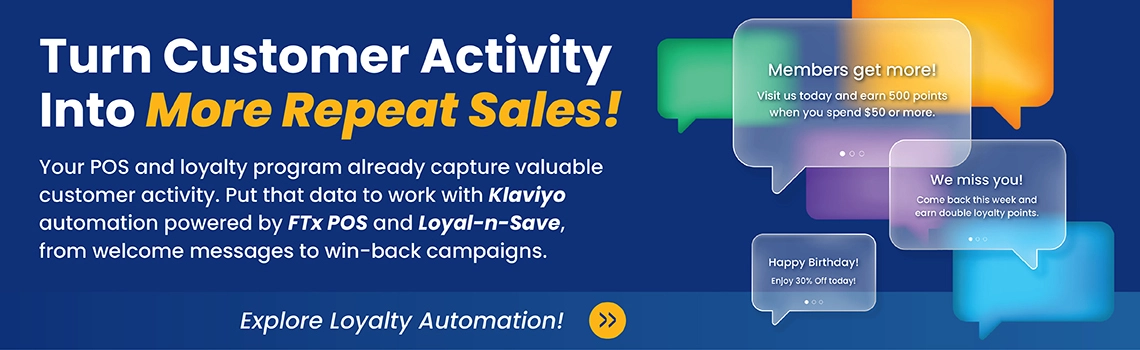
A birthday message feels personal and gives you a natural reason to offer a coupon or bonus points. Send the offer a few days ahead so customers have plenty of time to use it. If the reward remains unredeemed as the expiration date approaches, you can set up a reminder flow to give customers another chance to use it.
A quick reminder: The flow only works if you collect birthdays. Ask for the date during loyalty signup, or the trigger won’t have the information it needs.
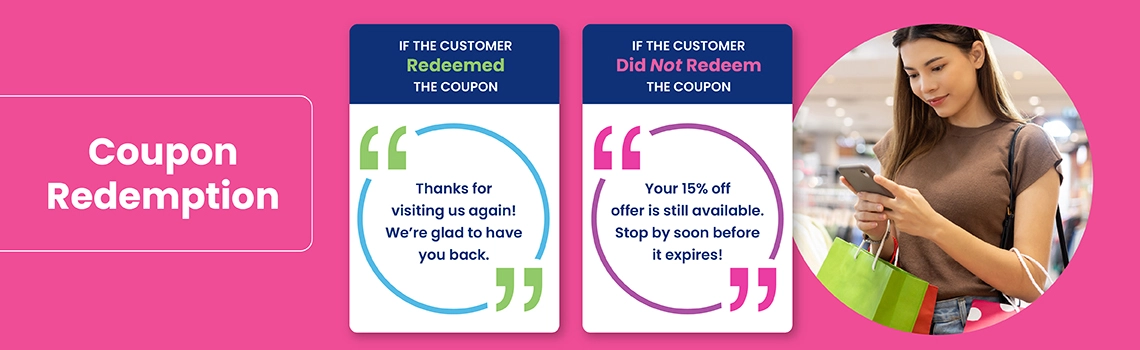
Offering a coupon is only part of the process. You also want to give customers a reason to use it before it expires. To help with this, your workflow should track customer purchases made with coupons and monitor redemption rates over time. If a coupon remains unused as the expiration date approaches, the system can trigger a reminder notification to encourage use.
With Loyal-n-Save digital coupons, consumers save an offer to their digital wallets and redeem it during the purchasing process. Make the next step clear by naming the coupon, showing its expiration date, and explaining where customers can use it.
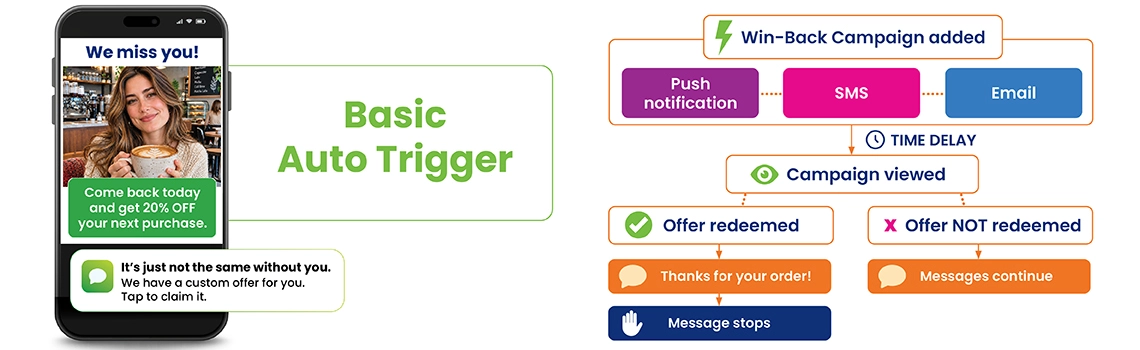
There are always members in a loyalty program who stop participating over time. The win-back flow begins after an interval of your choice, which can range from one month to a year, depending on the available configuration. The length of the interval depends on your customers’ shopping habits.
For instance, a convenience store may choose to reach out after 30 days of inactivity, while a specialty store may wait longer before sending a reminder. You can also follow up with a second message or another offer if the customer hasn’t returned.
Whenever a customer opens a campaign in your app or checks their points balance on your site, it can be a sign of interest. These interactions also give you another opportunity to connect with customers.
Viewing a campaign can trigger a message about that specific offer, along with reminders of an impending end date. Meanwhile, checking a point balance can lead to follow-up messages that encourage customers to redeem their rewards.
Be mindful of timing. A follow-up sent a few hours after their initial visit may feel more helpful than one that arrives just a few minutes later. You want to stay in touch without overwhelming customers with messages.
Want these automated rewards in one place?Birthday bonuses, win-back campaigns, and digital coupons are all part of the loyalty tools in Loyal-n-Save. See how they fit the Klaviyo flows above.
The more you know about your customers, the easier it is to send messages that feel relevant to them.
Without knowing which customers earn rewards or who has stopped buying, Klaviyo has less information to work with when sending personalized messages.
By connecting FTx POS and Loyal-n-Save with Klaviyo, retailers can bring their sales and loyalty data together to create more relevant customer communications.
An application programming interface (API) allows two systems to exchange information. With the Klaviyo integration, sales and loyalty activity from FTx POS and Loyal-n-Save can sync with customer profiles in Klaviyo.
This gives retailers a better understanding of customer activity across their stores and loyalty program. FTx POS integrates with other applications as well, which you can find on our integration partners page.
Once the data is flowing, you can connect each activity to the appropriate flow. A new loyalty signup starts the welcome series, a points update starts the balance email, and a coupon issued starts the redemption reminder. Because FTx POS captures the transaction at the register, those triggers can be based on actual purchases rather than general assumptions about customer activity.
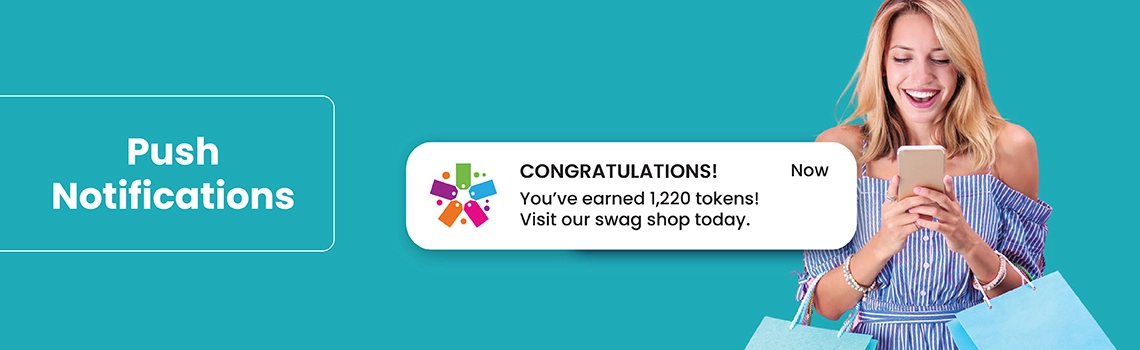
Email isn’t the only way to reach a member. Loyal-n-Save works with Klaviyo to send personalized points updates, perks, and promotions by email, short message service (SMS), or push notification.
Learn more about Loyal-n-Save to see how the program handles points, campaigns, and its mobile app.
Before going live, run a test with a few team members to confirm each trigger fires and the right message arrives. After launch, watch open rates, click rates, orders, and unsubscribes.
Klaviyo’s 2026 data lists 32.2% as a good open rate for flows, which can give you a general point of comparison when reviewing your own results.
Change one thing at a time, such as the subject line or the delay before sending. That way, you can get a better idea of which change made the difference.
Connecting two systems for the first time can feel like a lot. Fortunately, you don’t have to figure everything out on your own. The FTx team can help with integration setup and answer questions along the way.
You can also search the FTx knowledge base articles for setup questions.
Loyal-n-Save users can also take the Loyal-n-Save training courses on FTx Academy, which offer guidance for retailers building their first campaigns. It’s easier to launch the welcome and points flows first, confirm they fire correctly, and then add the rest one at a time.
A loyalty program gives you plenty of reasons to reach out: a signup, a balance update, a birthday, a coupon, or a customer who hasn’t shopped in a while. Klaviyo flows help make sure each interaction is an opportunity to send a relevant message by email, text, or push notification, without adding another task to your team’s day.
The catch is that every message depends on accurate POS and loyalty data, because a reminder about points a customer doesn’t have can create more confusion than a helpful connection.
If you already use FTx POS or Loyal-n-Save, the Klaviyo integration is another way to get more from your customer and loyalty data. Start with the welcome series, add one flow at a time, and let each customer’s activity help guide the messages they receive.
For retailers with a loyalty program, the essential flows include welcome messages, points-earned updates, campaign announcements, birthday rewards, coupon notifications, win-back offers, and follow-ups for customers who view campaigns or check their points balance.
The welcome and points flows are good places to start because they reach customers at two important points in their loyalty journey: when they join and when they earn rewards.
Flows help retailers stay connected with customers between visits.
A returning customer who sees their account balance, gets an update about an upcoming reward, or receives a birthday offer has another reason to stay engaged with the program and return for another purchase.
It's essential to send messages when they really matter to your customers, not just when it's time.
Yes, as long as loyalty events reach Klaviyo. Signups, points earned, and coupons earned can each start a flow. With Loyal-n-Save connected, that activity can drive the automations covered above without anyone exporting lists by hand.
Name the specific reward, show how close the customer is to earning it, and make the next step obvious. For coupons, add a reminder before the expiry date. One clear message usually works better than several, so avoid emailing the same offer every day.
Yes. A birthday flow starts from the date saved on the customer's profile, so it's important to collect this information during signup. A win-back flow starts after a period without a purchase, which can be adjusted to reflect your customers' shopping habits. Both can include a coupon or bonus points.
POS data gives Klaviyo additional information about customer activity beyond email engagement. Depending on what you sync, Klaviyo can also see purchases, visit timing, and points activity. That lets you send an offer based on what a customer actually does instead of relying only on general promotions.
Yes. FTx POS offers a Klaviyo integration, and Loyal-n-Save works with Klaviyo to send points updates, perks, and promotions by email, SMS, or push notification. Your account team can confirm which data fields are synced for your setup.

Danielle Dixon | 16 Min Read
Danielle Dixon | 13 Min Read
Danielle Dixon | 9 Min Read